
# Viewing Custom Artifact Reports
By default, the yc-360 script captures essential performance diagnostics such as GC logs, thread dumps, heap dumps, app logs and CPU/memory statistics. These core artifacts are typically sufficient for most performance investigations. In some situations, however, you may need to collect custom diagnostic data specific to your application or infrastructure. To support this, yc-360 Script provides an Extended Data (ED) Collection feature, allowing you to execute your own script to collect additional artifacts. To start collecting custom artifacts, follow the instructions mentioned here (opens new window).
When you enable the "edScript" while triggering On-Demand Mode or Micro-Metrics Monitoring (M3) Mode, yc-360 Script automatically collects both the standard and custom diagnostic data.
# Steps to Access the Extended Data Report:
# STEP 1: Navigate to the incident which has custom diagnostic data.
From the dashboard, click on the incident from the timeline which is triggered with the "edScript" feature.
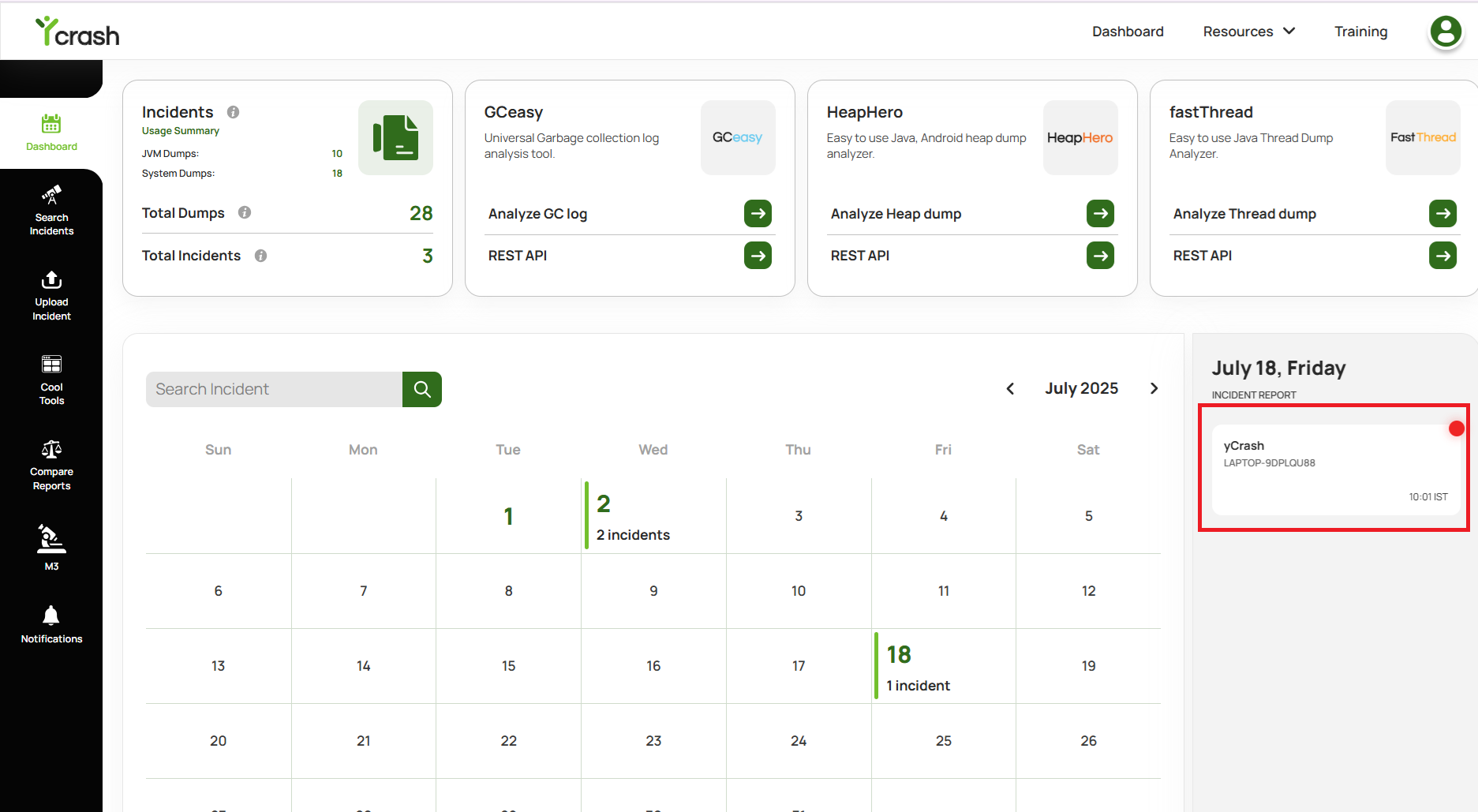
Fig 1: Click on incident from calendar timeline which has custom diagnostic data
# STEP 2: Navigating to Extended data report
From the Summary report, click on the "Extended data" menu which is present in the left side navbar.
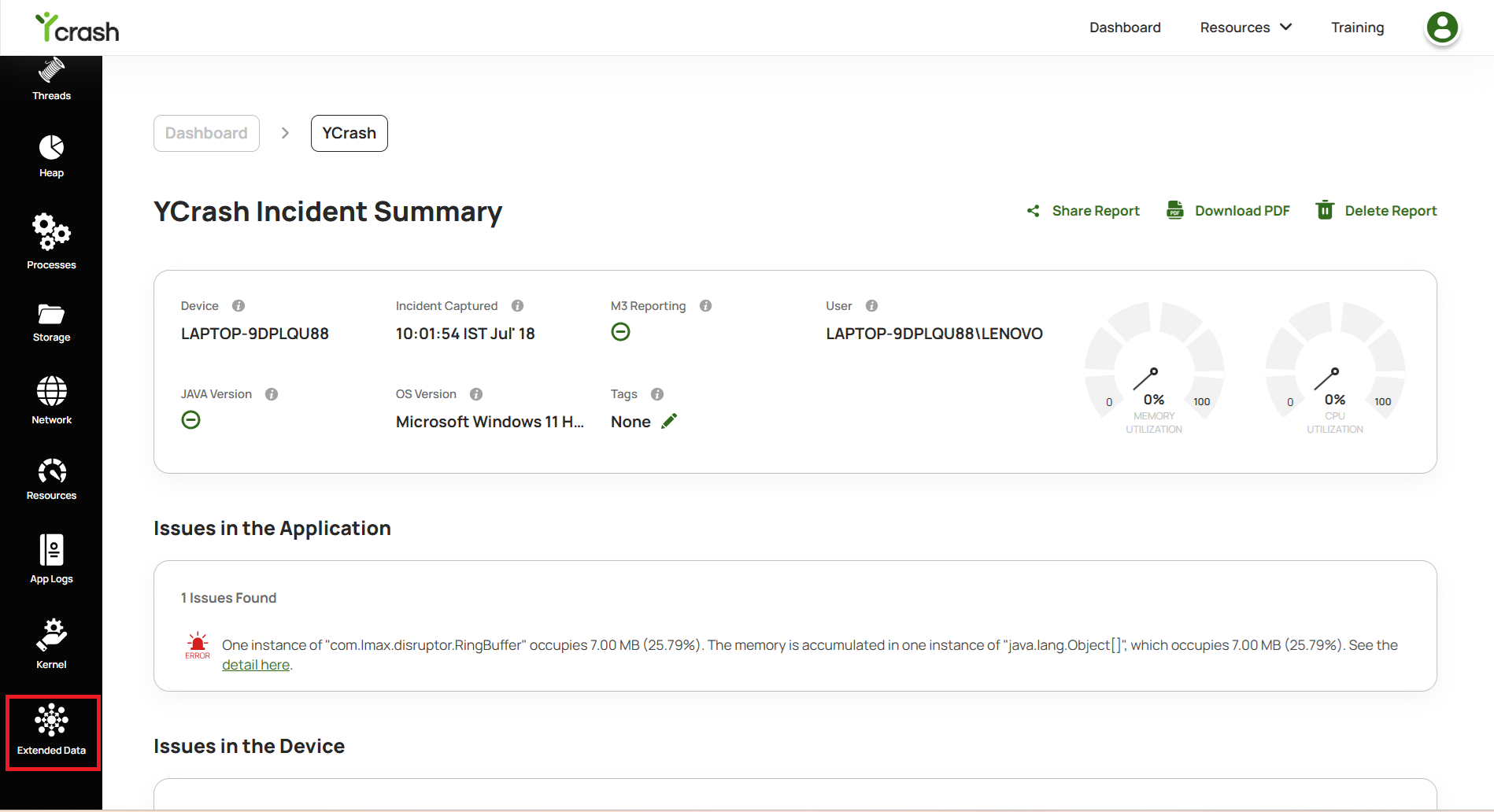
Fig 2: Navigating to Extended data report
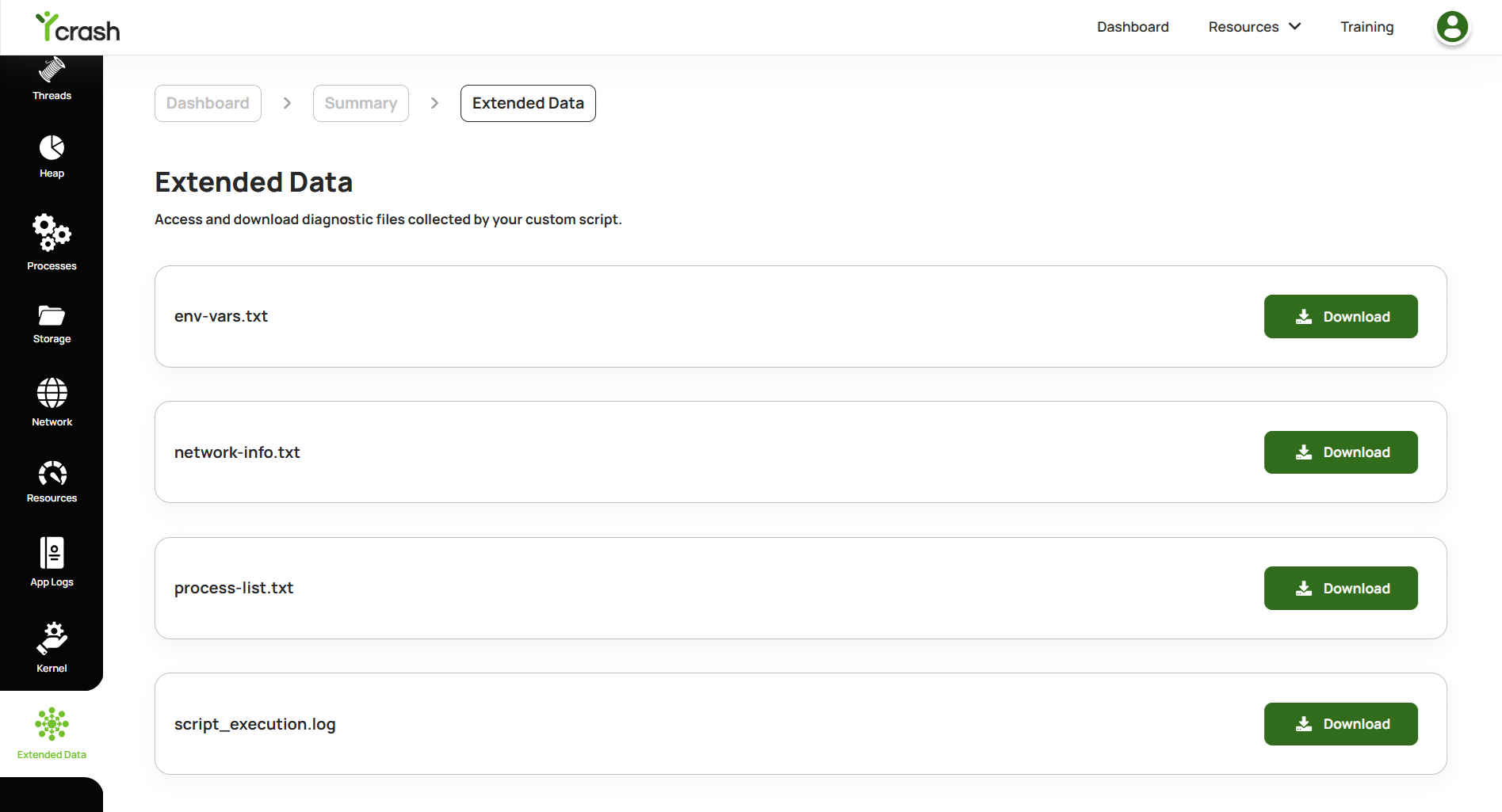
Fig 3: Extended Data report which has custom diagnostic data
# STEP 3: Downloading custom diagnostic data one by one.
You can download the file one by one or only the file which is needed by selecting the download icon present next to the file.
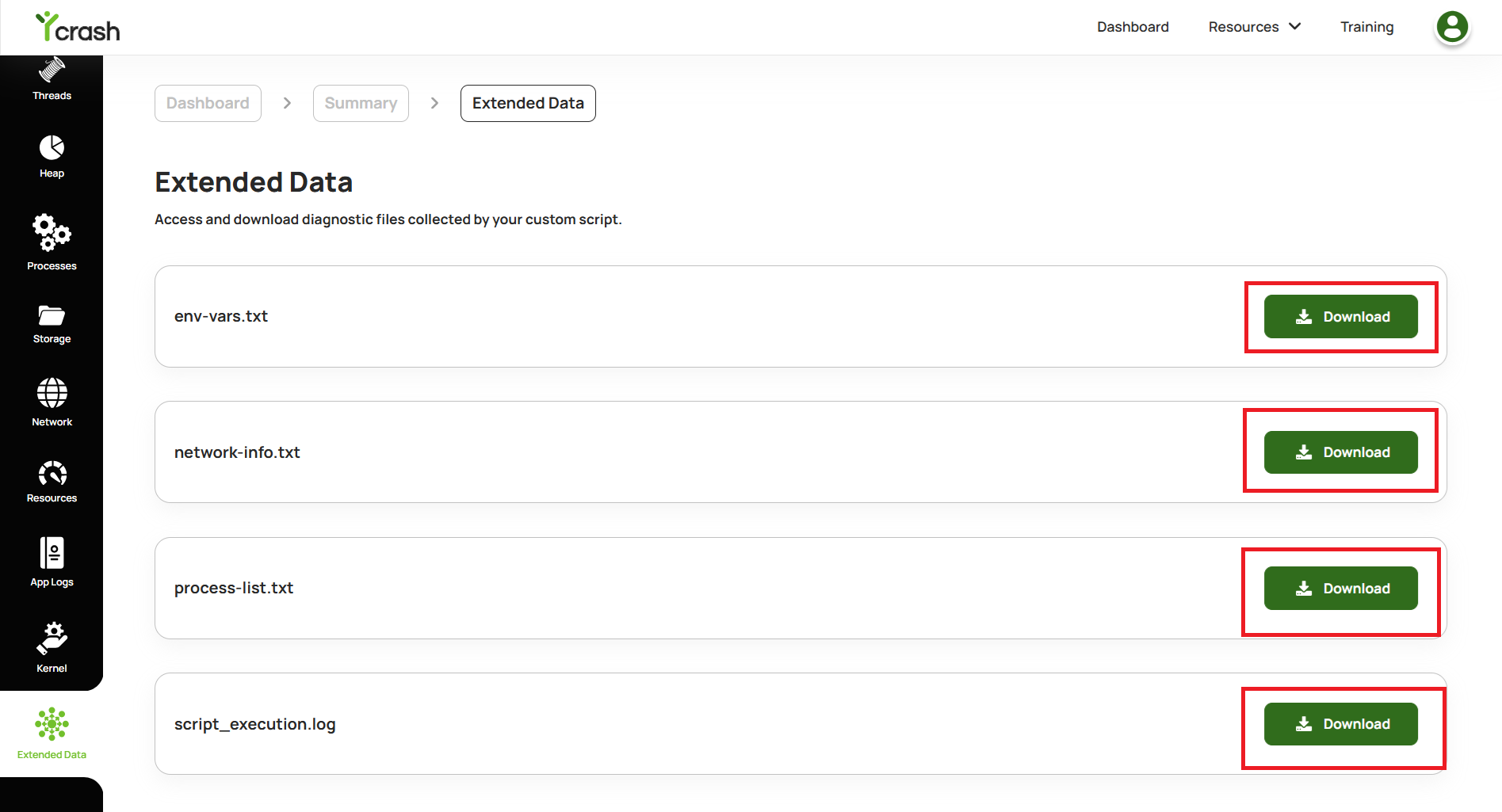
Fig 4: Downloading the files one by one
# STEP 4: Download all files at once.
- To download all the files together, you need to pass the
-DdownloadDumps=truesystem property in the Launch file as instructed in this document and you have to restart the server. - Now when you visit the Extended data report, you can see the "Download All" option.
- Using the "Download All" option, you can download all the files together
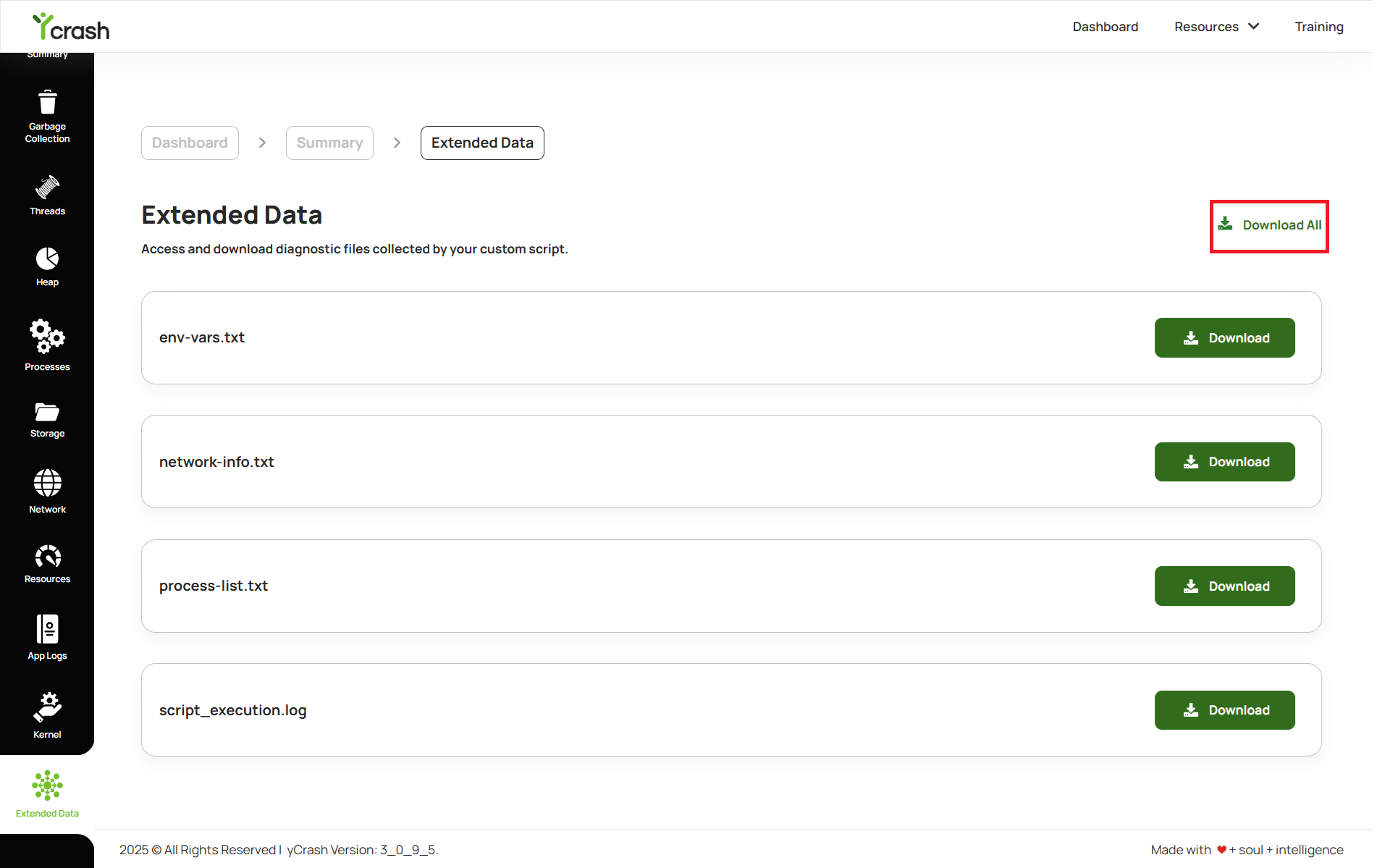
Fig 5: Download all the files at once