# Download Diagnostic Bundle
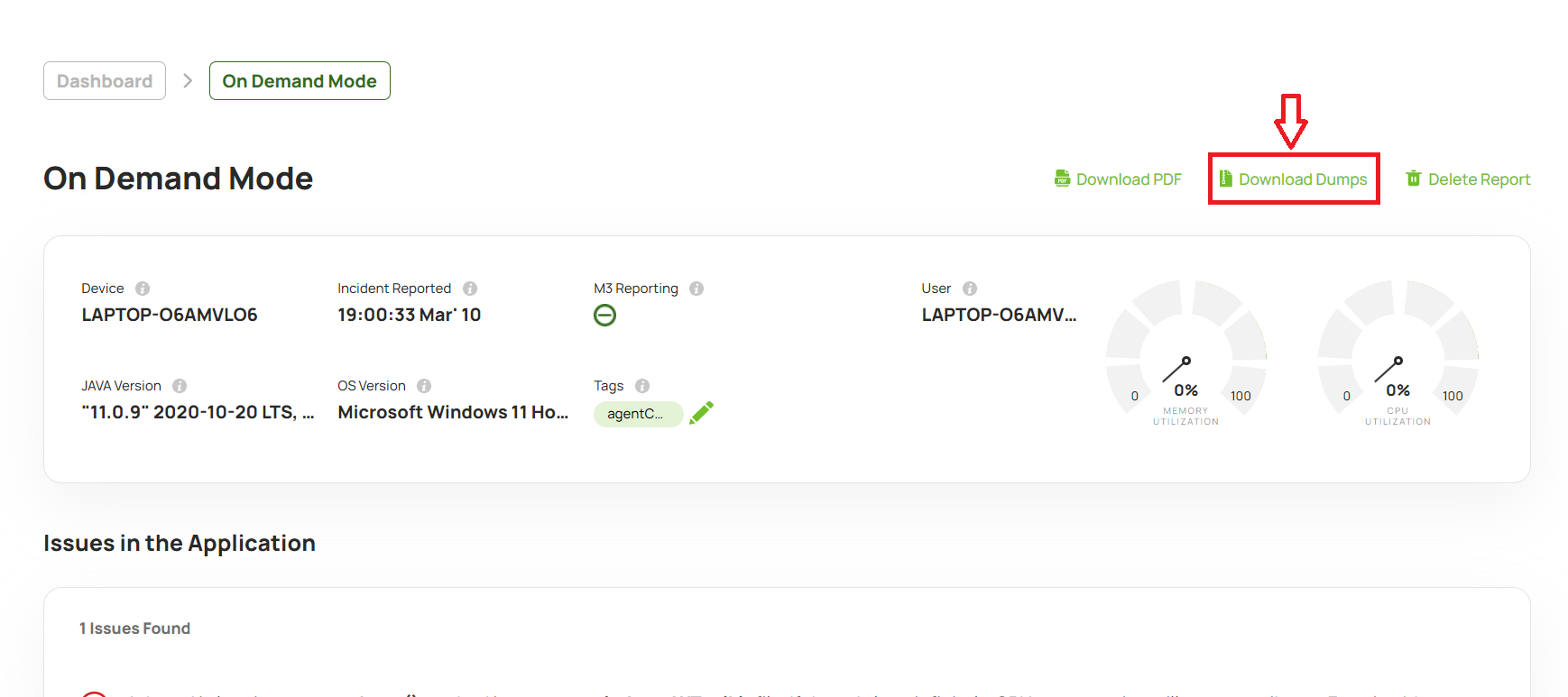
The Download Diagnostic Bundle feature allows users to download a ZIP package containing the RCA report summary and its associated diagnostic data. This data provides additional details about the identified problem statements, enabling users to investigate issues, share diagnostic information, and perform further analysis offline.
# How to enable the 'Download Diagnostic Bundle' hyperlink?
Since production dump files tend to contain confidential information, several organizations don't want the production dump files to be downloaded to their engineer's machines. Thus 'Download Diagnostic Bundle' feature is not activated by default. In order to activate this feature, you need to pass the '-DdownloadDumps=true' system property to the launch script.
In Linux/Mac:
Edit launch-yc-server.sh
Add '-DdownloadDumps=true' system property to launch-yc-server.sh
java ... -Dapp=yc -DlogDir=. -DuploadDir=. -DdownloadDumps=true ...
In Windows:
Edit launch-yc-server.bat
Add '-DdownloadDumps=true' system property to launch-yc-server.bat
java ... -Dapp=yc -DlogDir=. -DuploadDir=. -DdownloadDumps=true ...
# How to Download the Diagnostic Bundle?
Steps:
Navigate to the RCA report page in the yCrash application.
Locate and click the Download Diagnostic Bundle link.
The ZIP package containing the report summary and relevant diagnostic data will be downloaded to your local machine.
The downloaded bundle provides the information needed to understand and investigate the issues identified in the RCA report.