
# Export Summary - Search
'Export Summary - Search' feature facilitates you to export search results incidents into a CSV file which can be shared with management, peers.
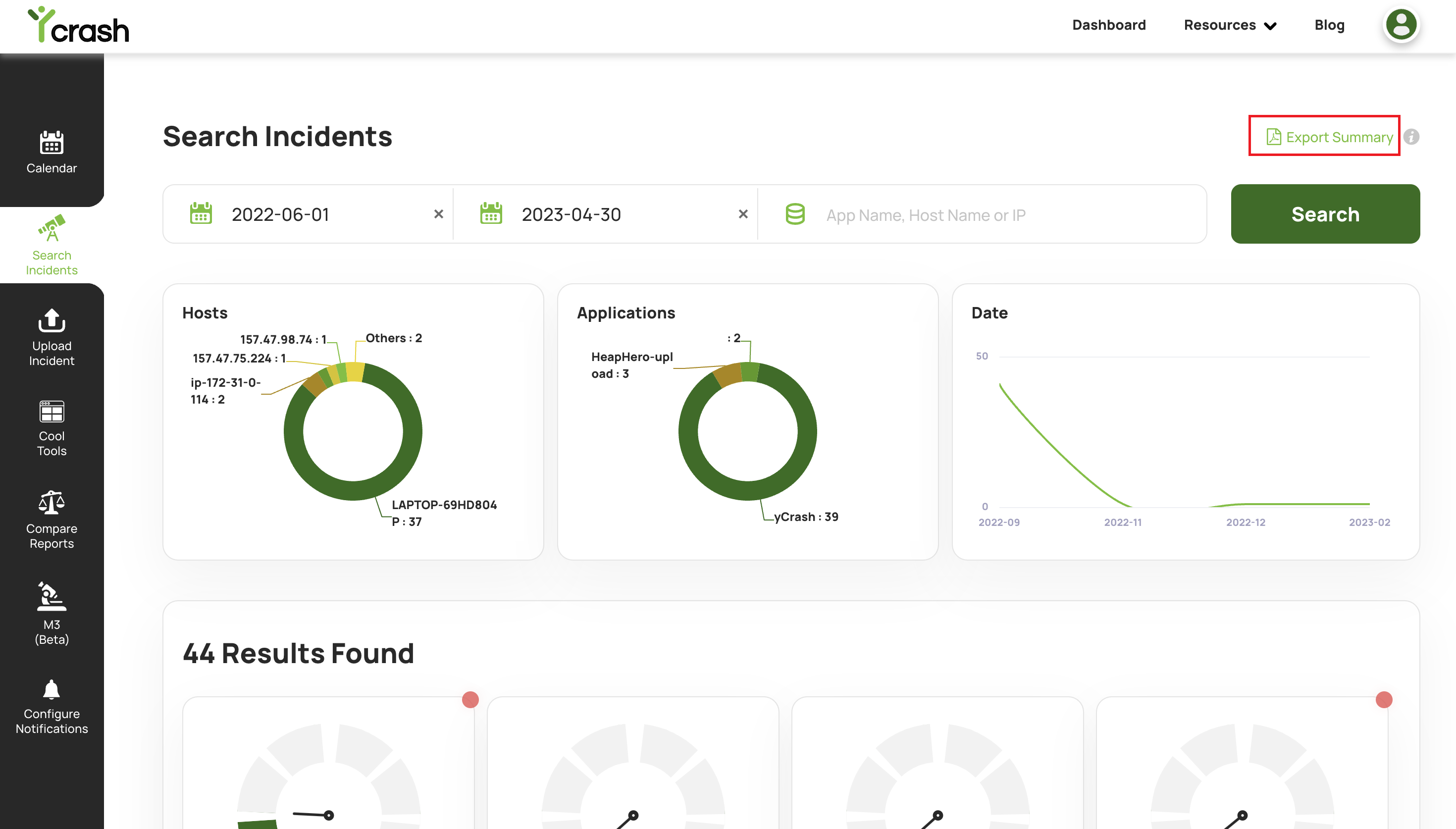
When the user clicks on the Export Summary hyperlink in the search page, it will download a CSV file that summarizes all the incidents based on the provided search criterias.
For example, we can see in the below screenshot, the user searches for incidents by applying search filters 'start date' and 'end date' which found 87 search results. Now If the user clicks on the Export Summary hyperlink on the right top corner of the page, he will be able to download a CSV file that will contain all the 87 search incidents results.
# CSV File Format
The downloaded CSV file will look like as below:

The CSV file contains the following columns:
Application name: Name of the application in which incidents are captured by the yc-360 script.
Count: A number of incidents reported for that application
Incident URL: Hyperlink to see the report summary in the dashboard.