
# Heap Dump Sanitization
Heap dump files may contain sensitive information such as credit card details, passwords, and other personally identifiable information (PII). When analyzing heap dumps using traditional tools, this sensitive data can be exposed in the heap report, posing a significant security risk. To address this concern, yCrash introduces the Heap Dump Sanitization feature as part of our Security Pack. This feature ensures that sensitive data in heap dumps is securely sanitized before analysis.
# How to Enable Heap Dump Sanitization?
To enable heap dump sanitization, add the -DsanitizeHD=true system property to the launch script of your yCrash application. After making this change, restart the yCrash application for the settings to take effect.
# How Heap Dump Sanitization Works?
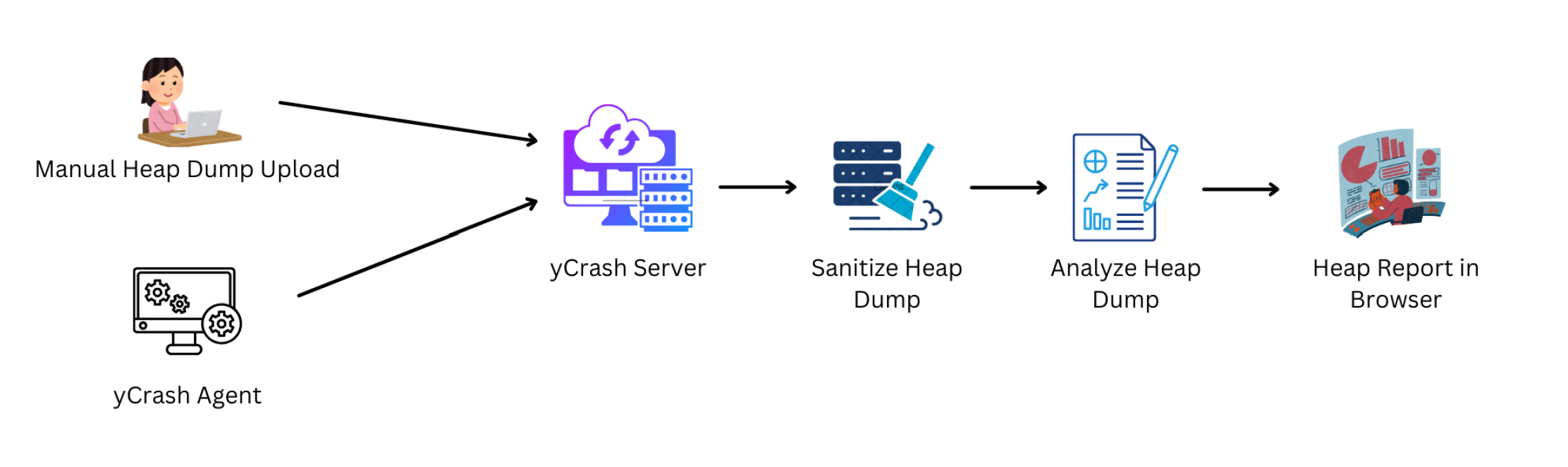
As you can see in the above diagram, when the heap dumps are uploaded to the yCrash server either manually by the user or automatically via the yc-360 script, the yCrash server sanitizes the heap dump for sensitive data (e.g., char arrays, byte arrays) and replacing the actual values with asterisks (*).
The sanitized heap dump will be written to disk, ensuring that no sensitive data is stored in its original form. The yCrash server analyzes the sanitized heap dump and will generate a heap report. In the heap report, sensitive values are displayed as asterisks (*), ensuring that no confidential information is exposed.
# Before Sanitization
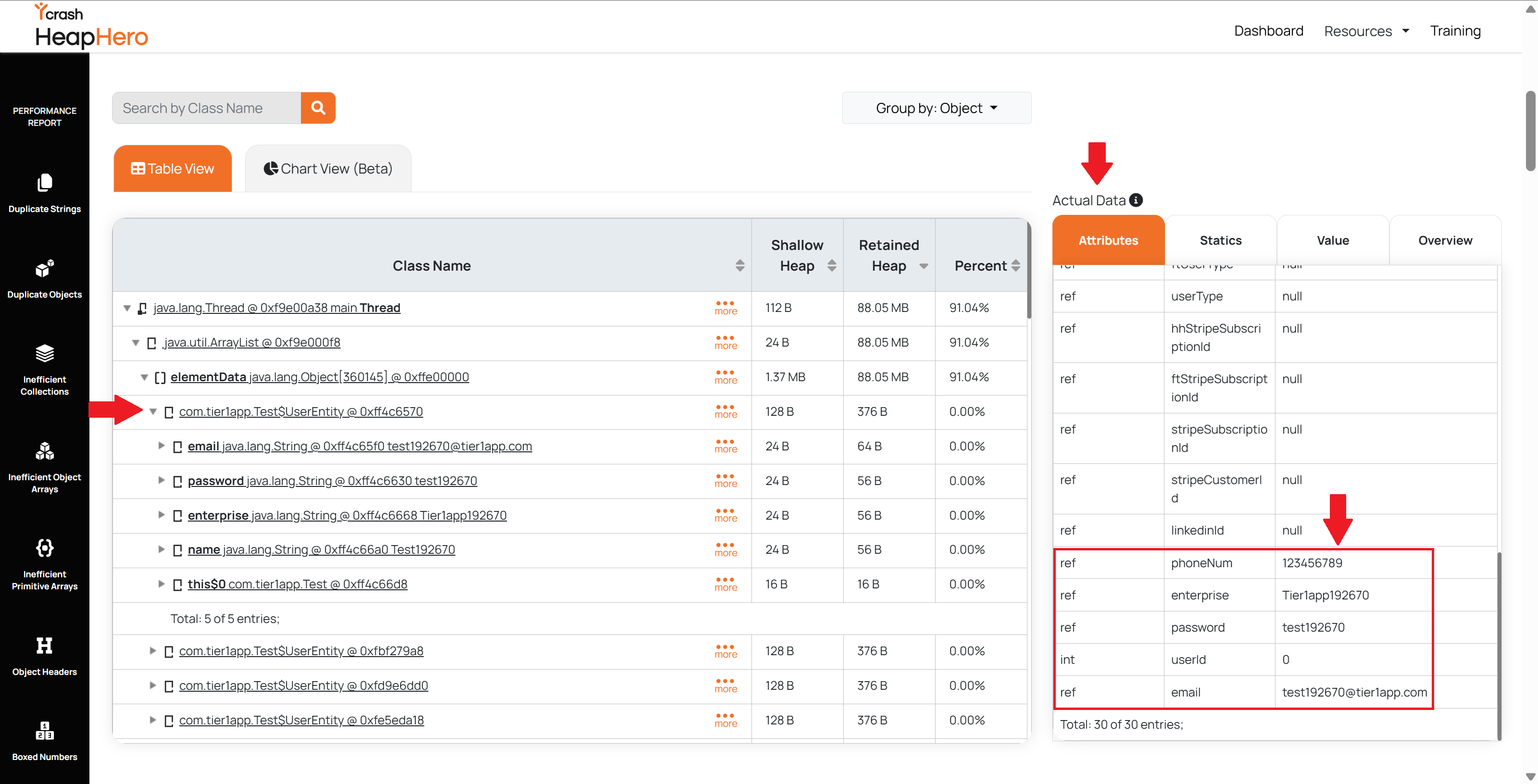
When analyzing an unsanitized heap dump, sensitive information such as passwords, credit card details, and other PII may be visible in the heap report.
# After Sanitization
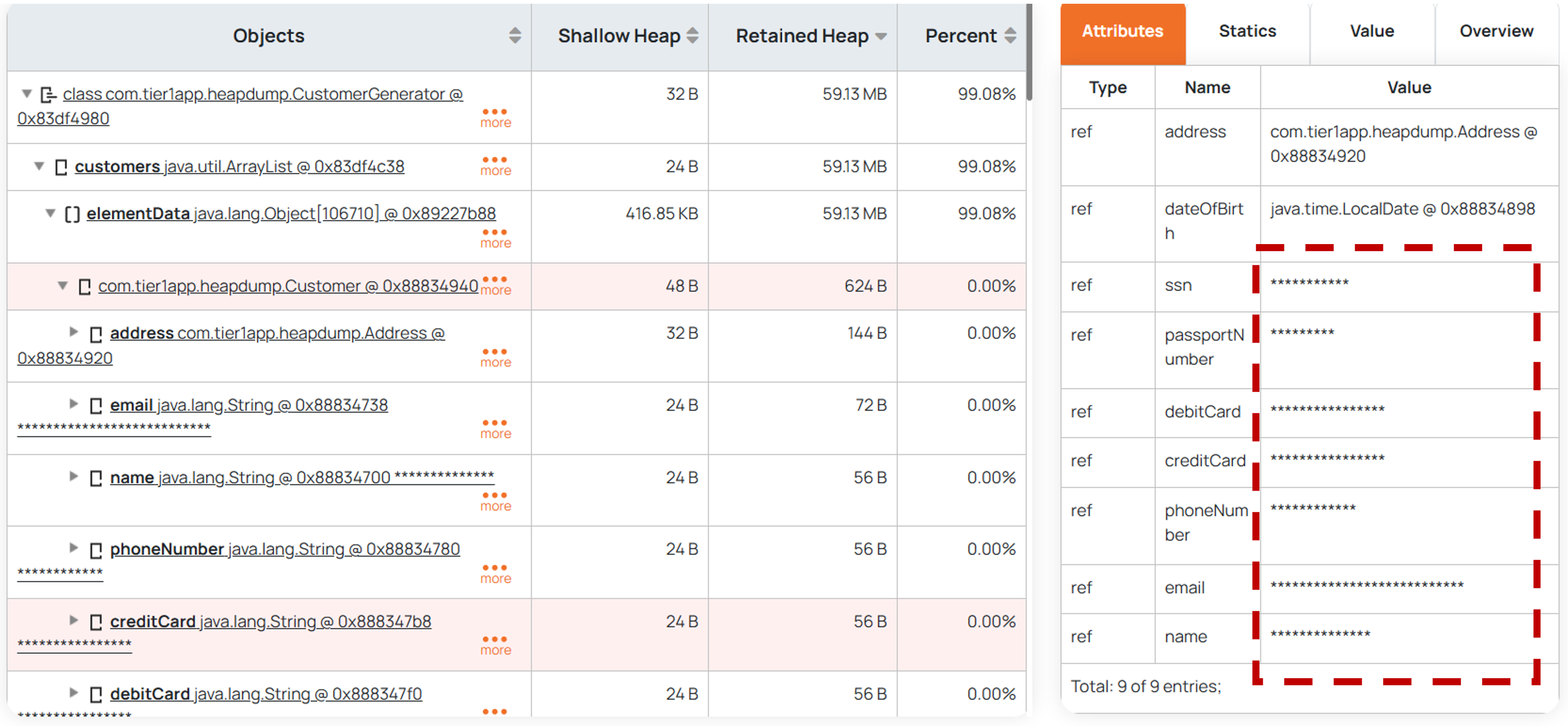
With the Heap Dump Sanitization feature enabled, sensitive values in the heap dump are replaced with asterisks (*), ensuring that no confidential data is exposed in the report.
Note:
This feature is available from version 3.0.6 and later.