
# Mask Data
Heap dump analysis is a vital practice in understanding an application's memory utilization and uncovering potential issues. When capturing a heap dump, you're essentially taking a snapshot of the Java Virtual Machine's (JVM) memory space at a specific moment. This snapshot provides a detailed view of all objects residing in memory, facilitating deeper insights into memory usage, potential memory leaks, and other performance-related concerns.
However, while heap dumps are immensely valuable for diagnostics and optimization, they can also pose a significant risk when it comes to handling sensitive information. Within the heap's extensive collection of objects, there's a possibility that sensitive data might be present. This could include confidential information like passwords, API keys, database credentials, and other forms of sensitive data that are crucial for your application's operation. This creates a potential security vulnerability, as unauthorized access to heap dump data could lead to data breaches and compromise the confidentiality of critical data.
To address the concern of sensitive information exposure, our application introduces the "Mask Data" feature. The purpose of this feature is to allow you to secure sensitive information within heap reports by masking the data. Instead of displaying clear, readable values, the "Mask Data" feature replaces sensitive content with masked placeholders.
# yCrash Enterprise Edition
Here are the steps to configure the flag in yCrash Enterprise Edition:
Open the launch file: If you're using a Unix-based machine, open the
launch-yc-server.shfile. For Windows machines, use thelaunch-yc-server.batfile.Add flag: Modify your launch file to include the
-DmaskData=80%system property. For example,java -Xms2g -Xmx4g -DlogDir=. -DuploadDir=. -DmaskData=80% ...1
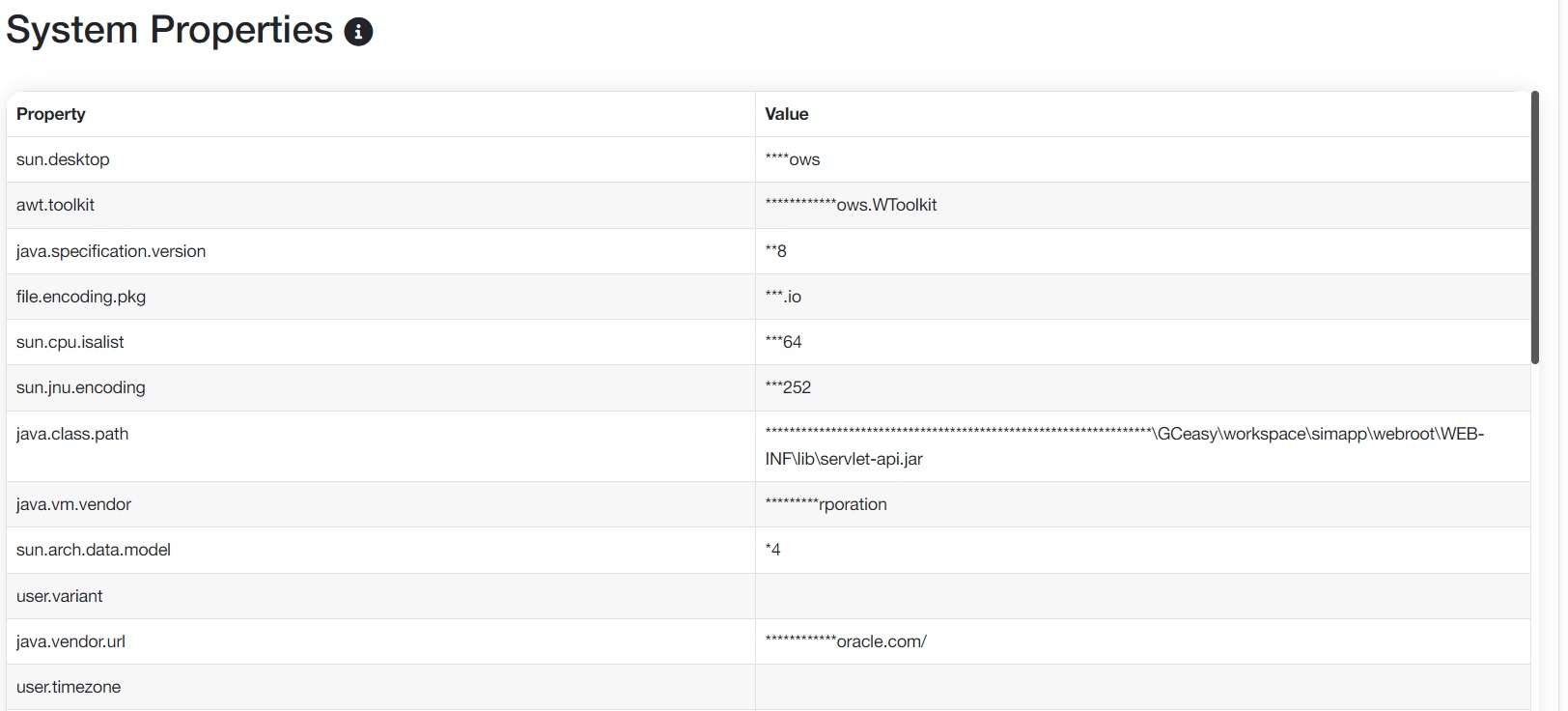
When you configure -DmaskData=80% property, 80% of value will be masked and printed on the report, as shown in the below image:
- Restart yCrash server: Save the changes to your launch file and restart the yCrash server to apply the updates.
# yCrash Cloud
Here are the steps to configure the flag in yCrash Cloud:
Coming Soon…