
# Filter Criteria Configuration
We have a great flexibility to configure notifications to notify via channels based on the three filter options, App Name (Optional), Host Name (Optional) and Tags (Optional).
# Notifications based on App Name
If you’re monitoring a specific application, such as "Webbroker" and want to notify whenever incidents are reported on that application, you can configure notifications as follows:
Click on the 'Add notification' button.
In the Add Notification page, use the App Name (Optional) dropdown to select the application you want notifications for (in this example, Webbroker).
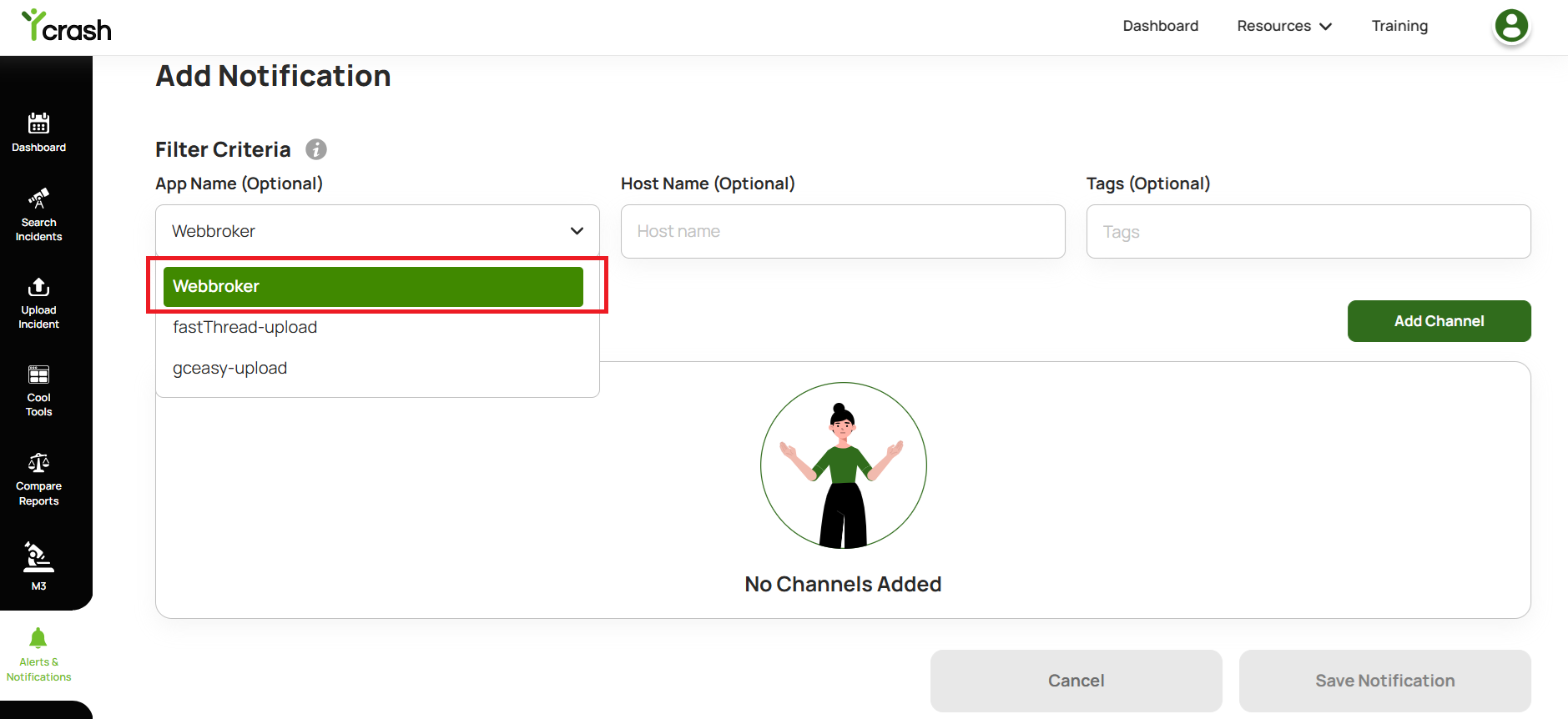
Click on the 'Add Channel' button and continue to create any notification channels.
New channel will get created with the selected application name
Note: Alerts & Notifications cannot be configured for any channel using the App Name filter criteria unless an incident has occurred.
# Notifications based on Host Name
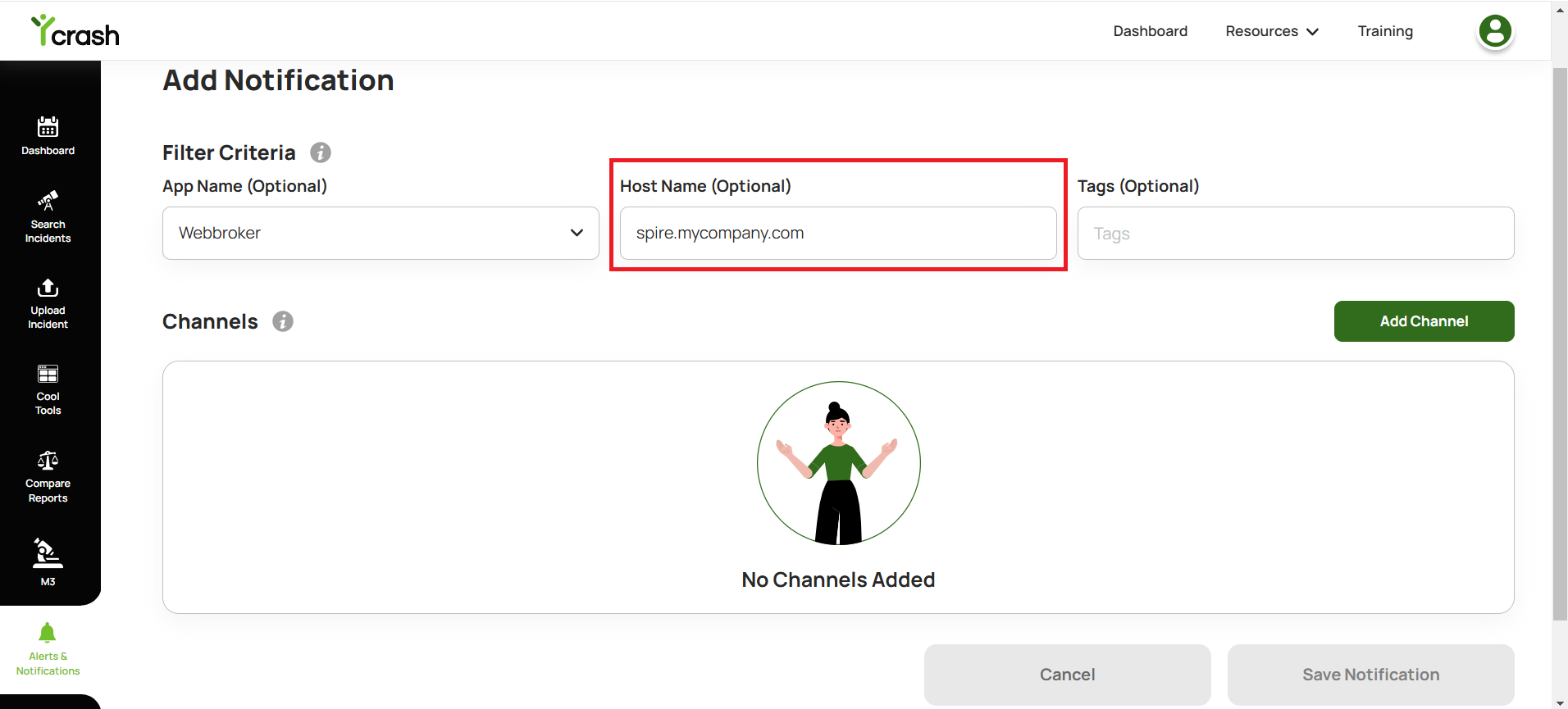
If you want to notify whenever incidents are reported on the host ex: spire.mycompany.com, you can configure as follows: Click on the 'Add notification' button.
In the Add Notification page, enter the value "spire.mycompany.com" in the Host Name (Optional) field.
Click on the 'Add Channel' button and continue to create any notification channels.
New channel will get created with the provided Host name
# Notifications based on Tags
If you want to notify whenever incidents are reported on the tag eg: CPU SPIKE, you can configure as follows:
Click on the 'Add notification' button.
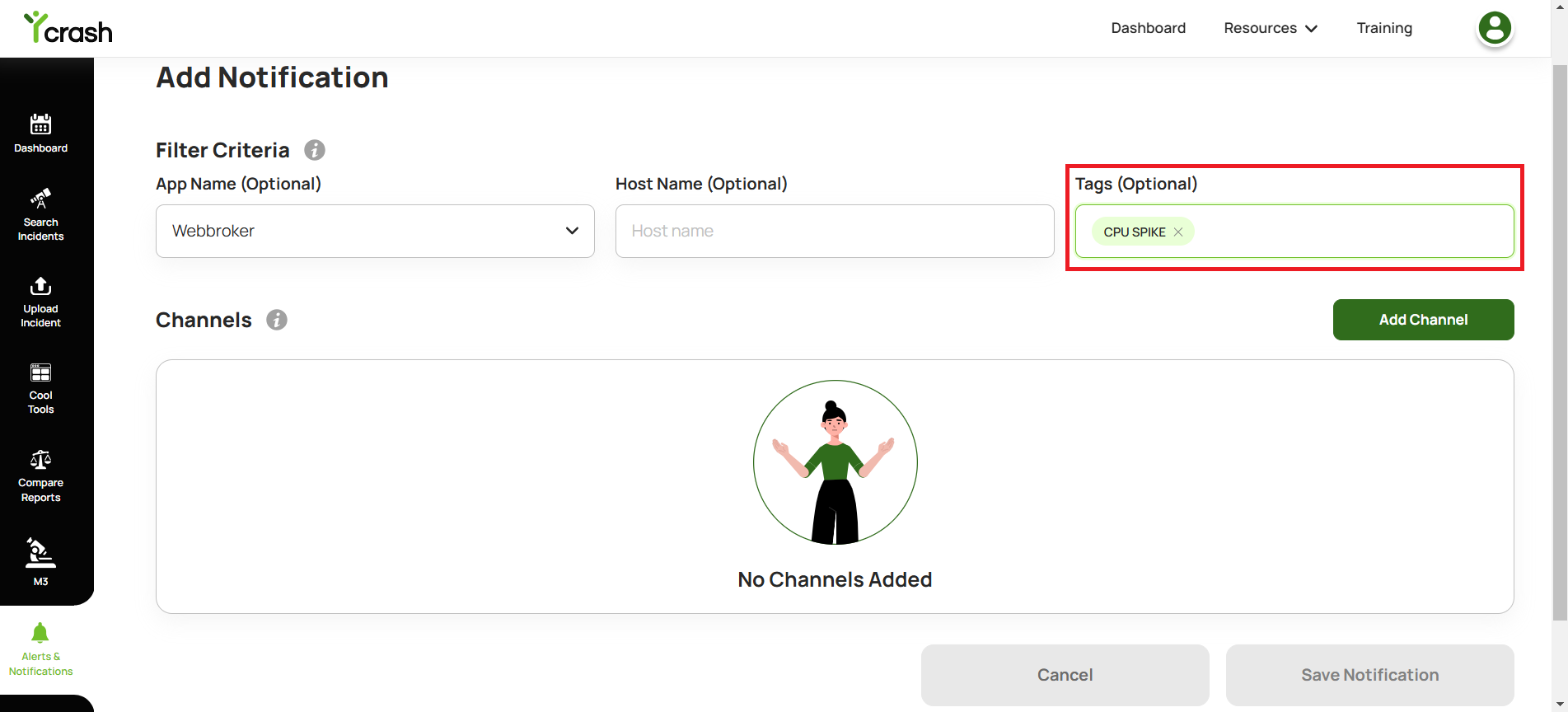
In the Add Notification page, enter the value CPU SPIKE in the Tags (Optional) field.
Click on the 'Add Channel' button and continue to create any notification channels.
New channel will get created with the provided Tag name.
Note: You can use all filtering fields together or in any combination.
For example:
Set the App Name field (optional) to "Webbroker", the Host Name field (optional) to "spire.mycompany.com", and the Tags field (optional) to "CPU SPIKE" to create a channel that notifies only when all values match the incident.
Alternatively, you can use combinations like App Name and Tags, or Tags and Host Name, depending on your requirements.
This flexibility allows you to configure channels that match specific filter conditions and ensure notifications are sent via appropriate channels.