
# How to start JVM Performance Masterclass course?
You can get started on learning the JVM Performance Masterclass by following simple steps:
- Click on the "Training" menu in the ycrash.io (opens new window)
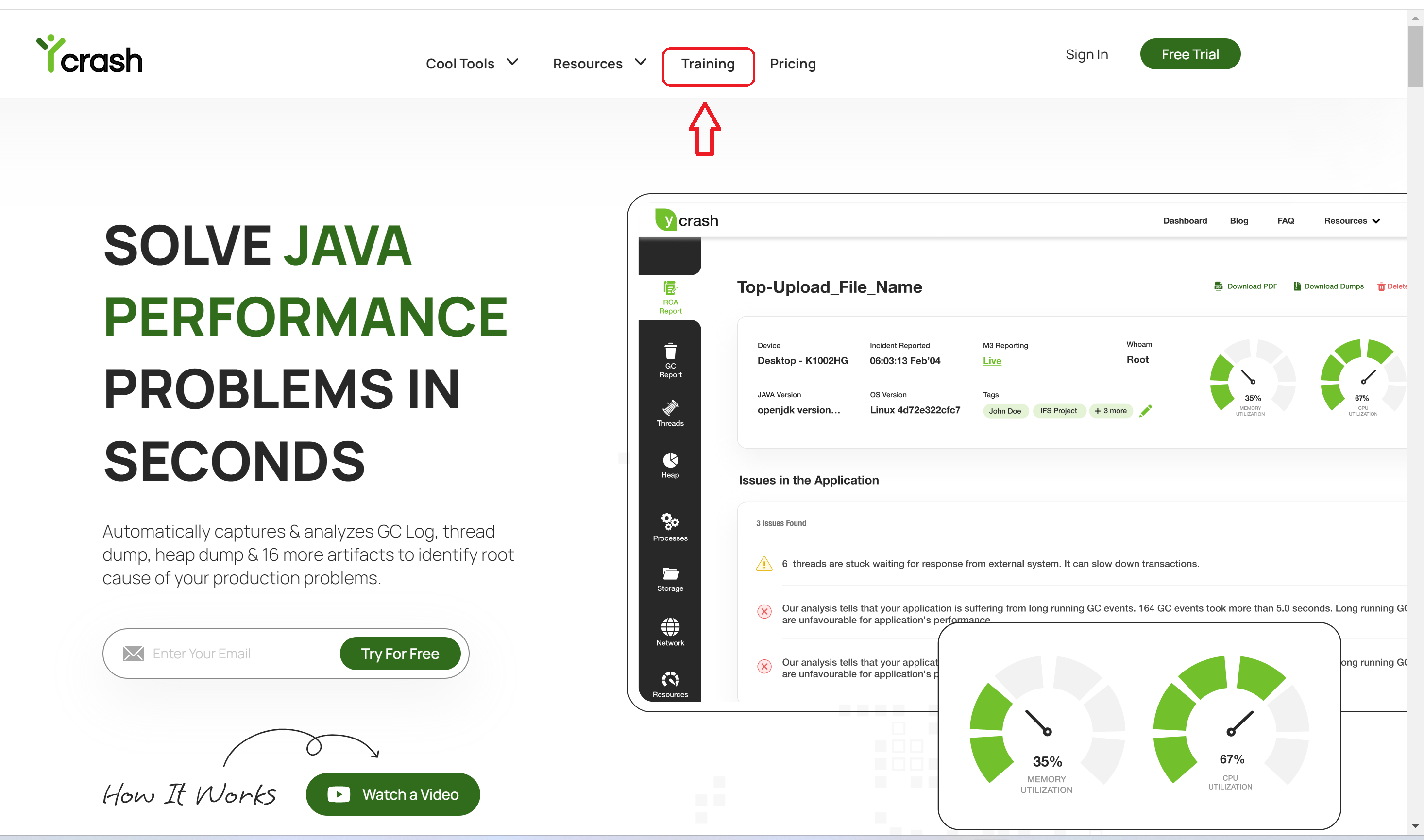
- Click on the "Start Course" button.

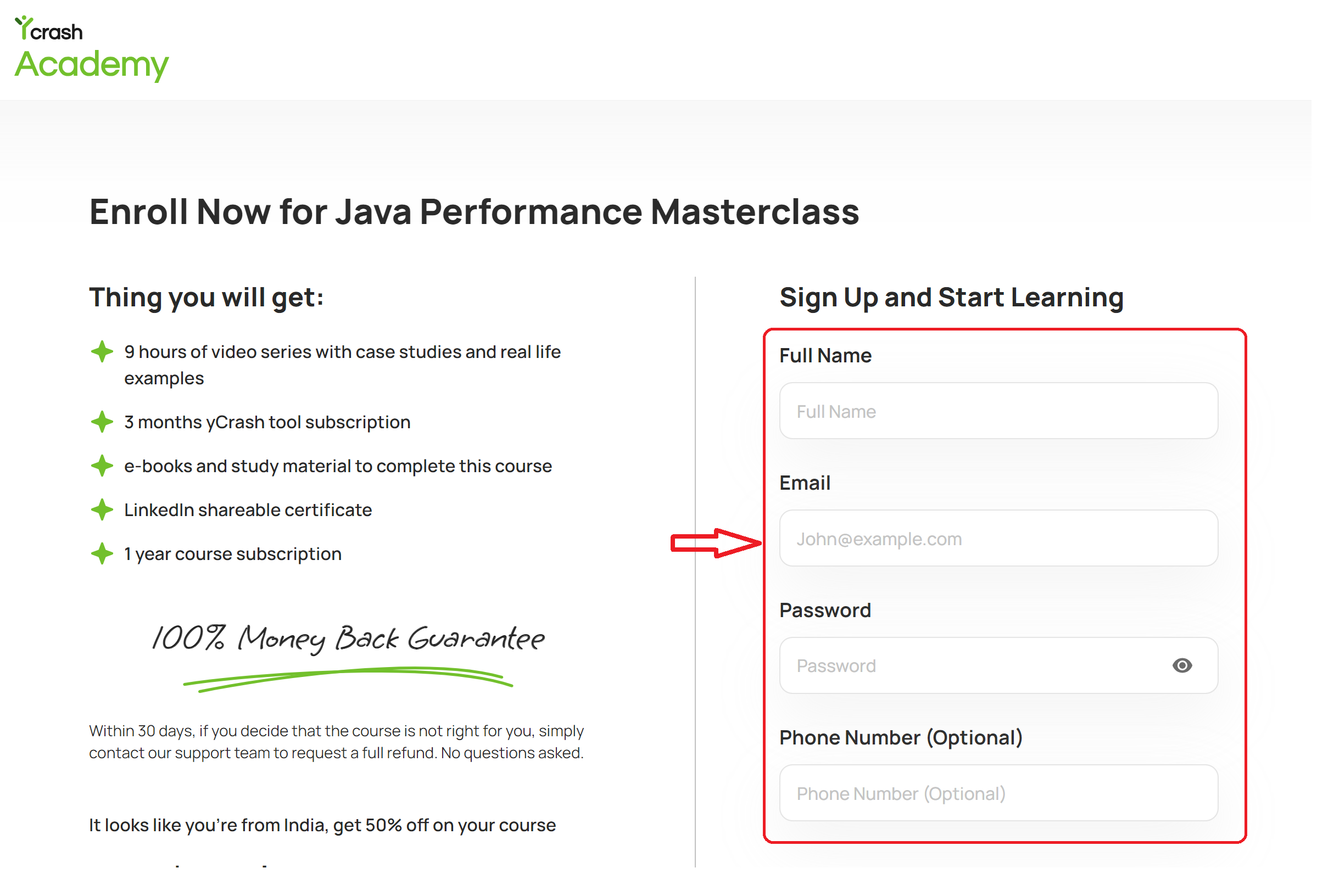
- Once you click on it, it will redirect you to a payment page where you can fill the sign up information.
- Enter the card information and click on "Pay $###".
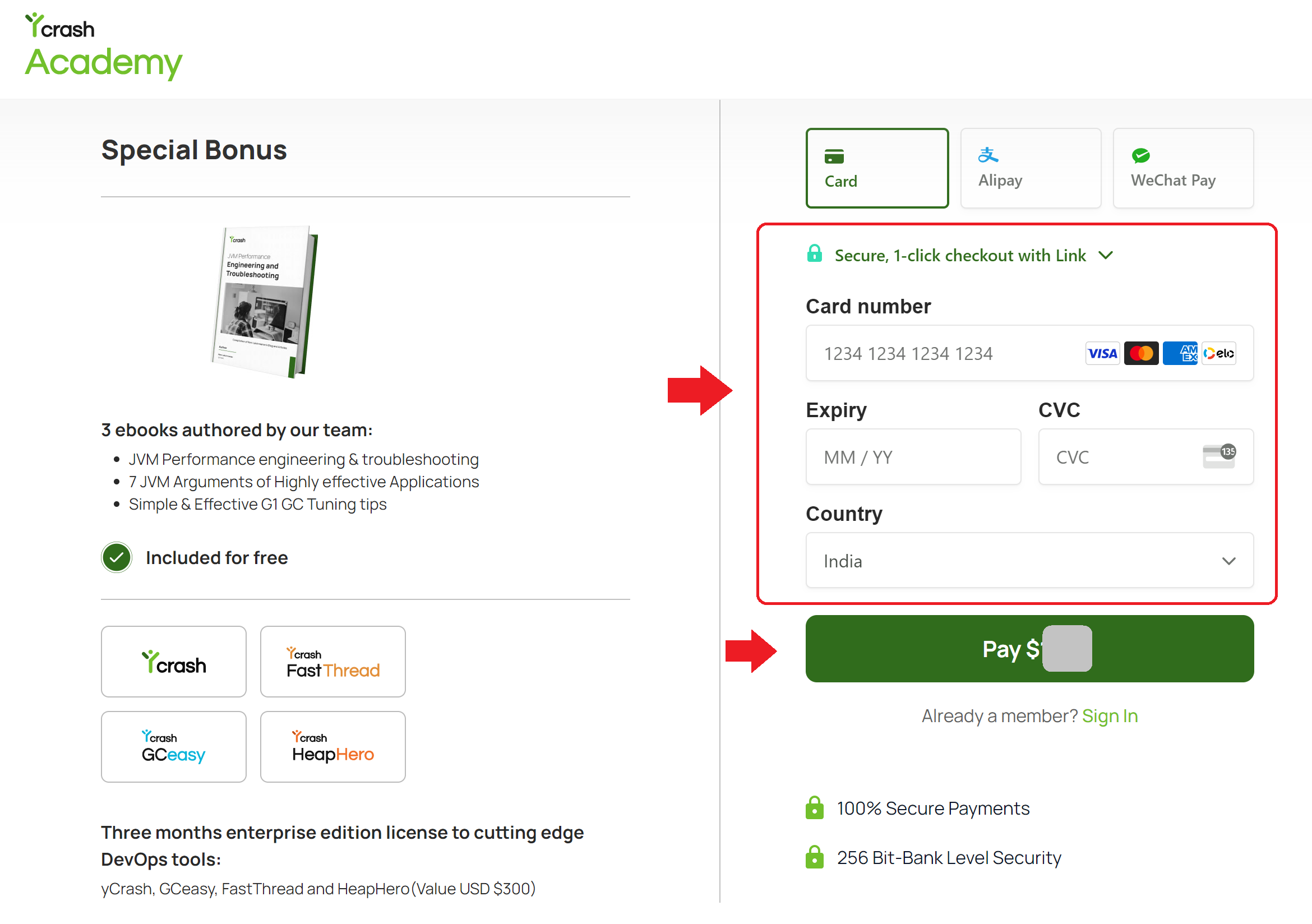
Note: If you have registered already with us, click on 'Sign In' link and login to your account. Fill up the card information and click on "Pay $###"
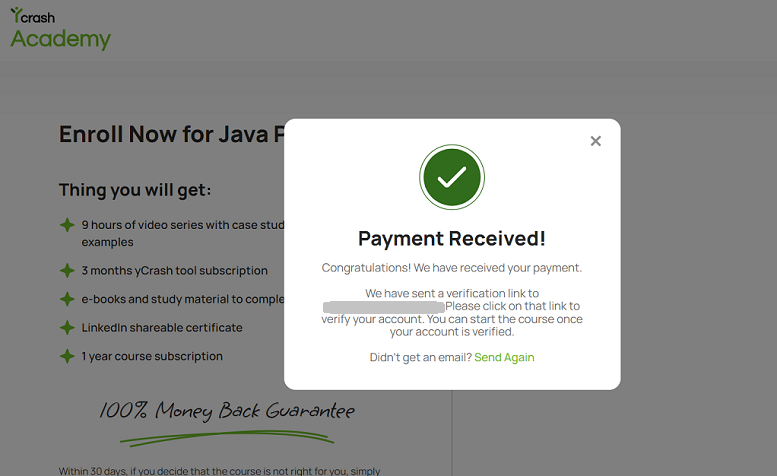
5.You will now see a pop up the payment confirmation. A verification link will be sent to your email.
- Click on the verification link from your email account, which will take you to the Java Performance Masterclass page.
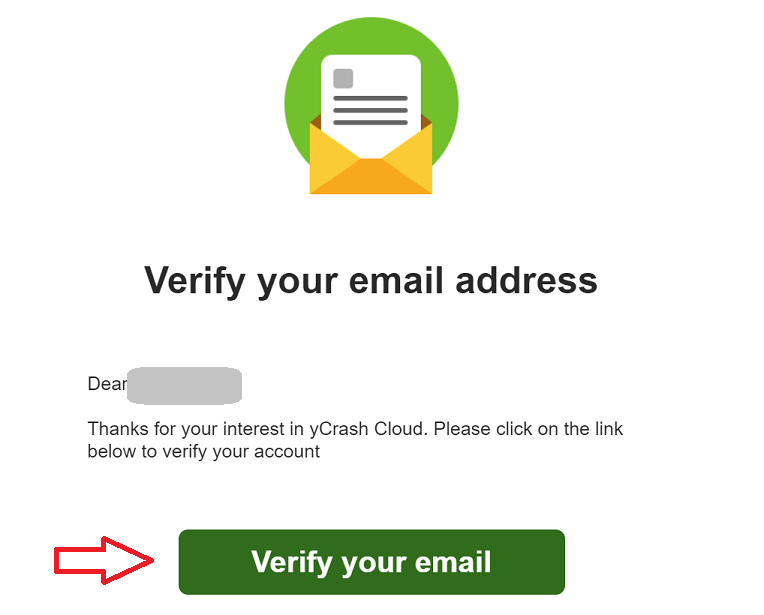
- You will now see a "Start Learning" button in the Java Performance Masterclass page . At the top, you will see a "My Course" menu.
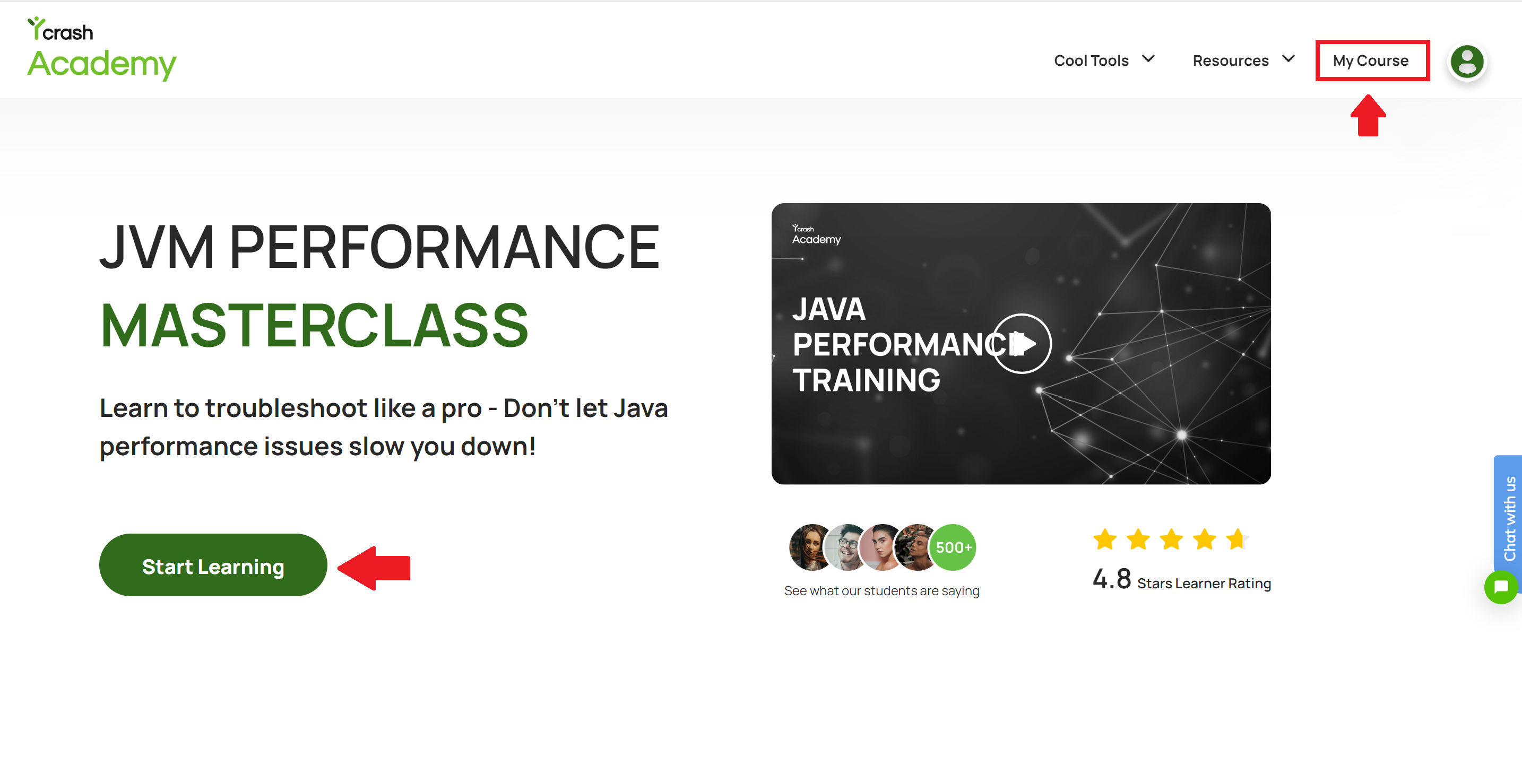
- Click on the "Start Learning" button (or) "My Course" menu, and you will be taken to the course page where you can start streaming the contents.
Congratulations! You have successfully enrolled in the course. If you need additional assistance, write to us at support@tier1app.com. We are here to help!