# Search API
This API facilitates you to find the incidents based on the tags, host name, application name, IP address. Matching incidents report URL is sent back in the API response.
If you want to build any custom reports or dashboard based on the reported incidents, you can use this API. The 'Search Dashboard' in the yCrash application is built using this API.
# How to invoke yCrash Search API?
yCrash Search API can be invoked from any API platforms, using the below-given end-point and request payload.
End-point
yCrash Search API can be invoked in the following end-point.
https://host:port/yc-search?apiKey=<Your API Key>
'host' - is the host address where yc-360 script is running.
'port' - is the port in which yc-360 script is listening. You can configure the port in which the yc-360 script should listen by passing the '-port' argument to the yCrash config file.
'API Key' - Key given to you at the registration time
Request Payload
Make HTTP POST to above end-point with the following request payload:
{
	"search": {
		"startTimestamp": "2022-05-25T10:12:15",
		"endTimestamp": "2022-06-26T13:05:12",
		"searchKeywords": "middleware, mobile app"
	}
}
2
3
4
5
6
7
Here is the description of request payload elements:
| Elements | Description |
|---|---|
| startTimestamp | Timestamp from where you want to start the search. The format should be in yyyy-MM-ddTHH:mm:ss. It is the optional field. |
| endTimestamp | Timestamp from where you want to end the search. The format should be in yyyy-MM-ddTHH:mm:ss. It is the optional field. |
| searchKeywords | Search keywords like tags, app name, host/IP.It should be seperated by commas and It is the optional field. |
Response Payload
When Clicking on Send button, you will get the response payload as like below format:
{
	"searchResults": [
		{
		"appName": "middleware",
		"incidents": [
			"https://193.45.56.34:8080/yc-report.jsp?ou=Test&de=193.45.56.34&app=yc&ts=2022-05-25T10-12-15",
			"https://193.45.56.34:8080/yc-report.jsp?ou=Test&de=193.45.56.34&app=yc&ts=2022-05-26T19-12-15",
			"https://193.45.56.34:8080/yc-report.jsp?ou=Test&de=193.45.56.34&app=yc&ts=2022-06-25T10-12-15",
			"https://193.45.56.34:8080/yc-report.jsp?ou=Test&de=193.45.56.34&app=yc&ts=2022-06-26T11-12-15"
			]
		},
		{
		"appName": "mobile app",
		"incidents": [
			"https://193.45.56.34:8080/yc-report.jsp?ou=Test&de=193.45.56.34&app=yc&ts=2022-05-26T10-12-15",
			"https://193.45.56.34:8080/yc-report.jsp?ou=Test&de=193.45.56.34&app=yc&ts=2022-05-26T19-12-15",
			"https://193.45.56.34:8080/yc-report.jsp?ou=Test&de=193.45.56.34&app=yc&ts=2022-06-23T10-12-15",
			"https://193.45.56.34:8080/yc-report.jsp?ou=Test&de=193.45.56.34&app=yc&ts=2022-06-26T11-12-15"
			]
		}
	]
}
2
3
4
5
6
7
8
9
10
11
12
13
14
15
16
17
18
19
20
21
22
Here is the description of response payload elements:
| Elements | Description |
|---|---|
| appName | Name of the application. |
| incidents | Incidents URLs of the application between the start and end timestamps. |
# Invoking through Postman
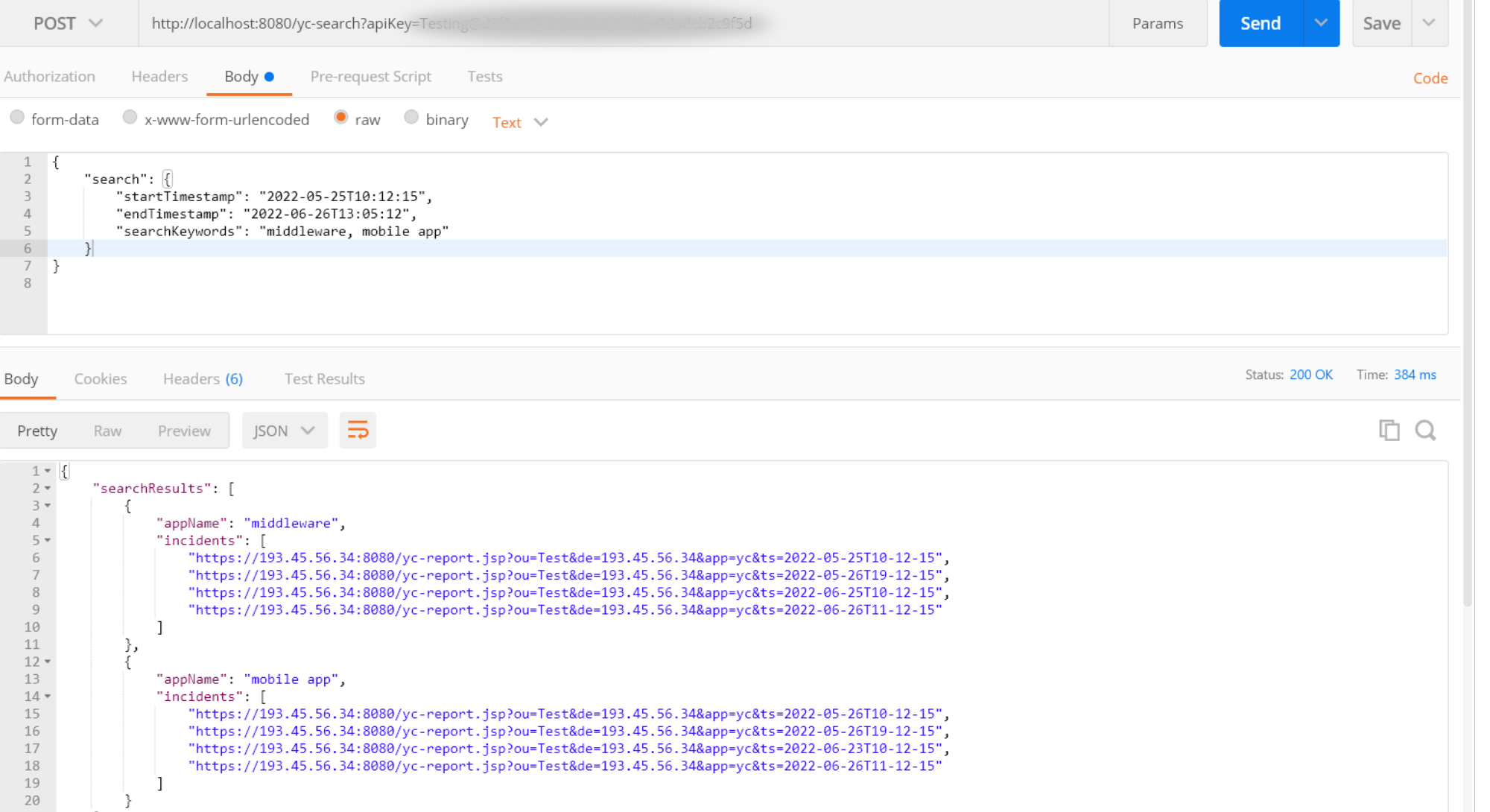
Below is the example on how Search API is invoked through Postman: