# Hosts API
This API provides a list of all the devices/servers/containers IP addresses that are reporting metrics to the yCrash server at any given time period.
# How to invoke yCrash Host API?
yCrash Host API can be invoked from any API platforms, using the below-given end-point and request payload.
End-point
yCrash Host API can be invoked in the following end-point.
https://host:port/yc-hosts?apiKey=<Your API Key>
where,
'host' - is the host address where yc-360 script is running.
'port' - is the port in which yc-360 script is listening. You can configure the port in which the yc-360 script should listen by passing the '-port' argument to the yc-360 script's configuration file.
'API Key' - Key given to you at the registration time
Request Payload
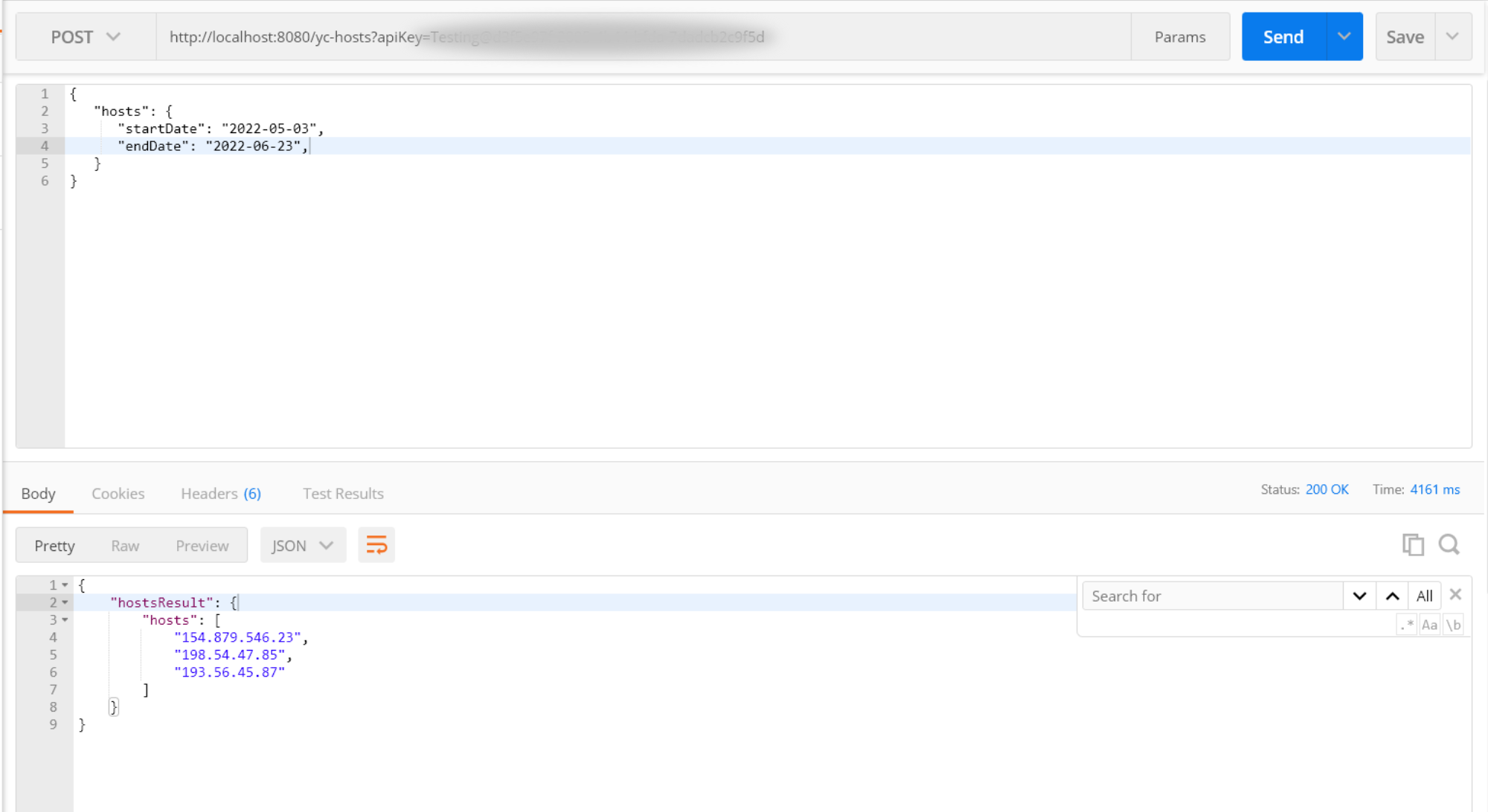
Make HTTP POST to above end-point with the following request payload:
{
   "hosts": {
      "startDate": "2022-05-03",
      "endDate": "2022-06-23",
   }
}
2
3
4
5
6
Here is the description of request payload elements:
| Elements | Description |
|---|---|
| startDate | Date from where you want to start the search for the host IPs. The date format should be in yyyy-MM-dd. It is the required field. |
| endDate | Date from where you want to end the search for the host IPs. The date format should be in yyyy-MM-dd. It is the required field. |
Response Payload
When Clicking on Send button, you will get the response payload as like below format:
{
    "hostsResult": {
        "hosts": [
			"154.879.546.23",
			"198.54.47.85",
            "193.56.45.87"
		]
    }
}
2
3
4
5
6
7
8
9
Here is the description of response payload element:
| Element | Description |
|---|---|
| hosts | Array of yc-360 script's IP addresses that are reporting metrics to the yCrash server |
# Invoking through Postman
Below is the example on how Hosts API is invoked through Postman: