# How to find your API key in yCrash?
- Go to yCrash.
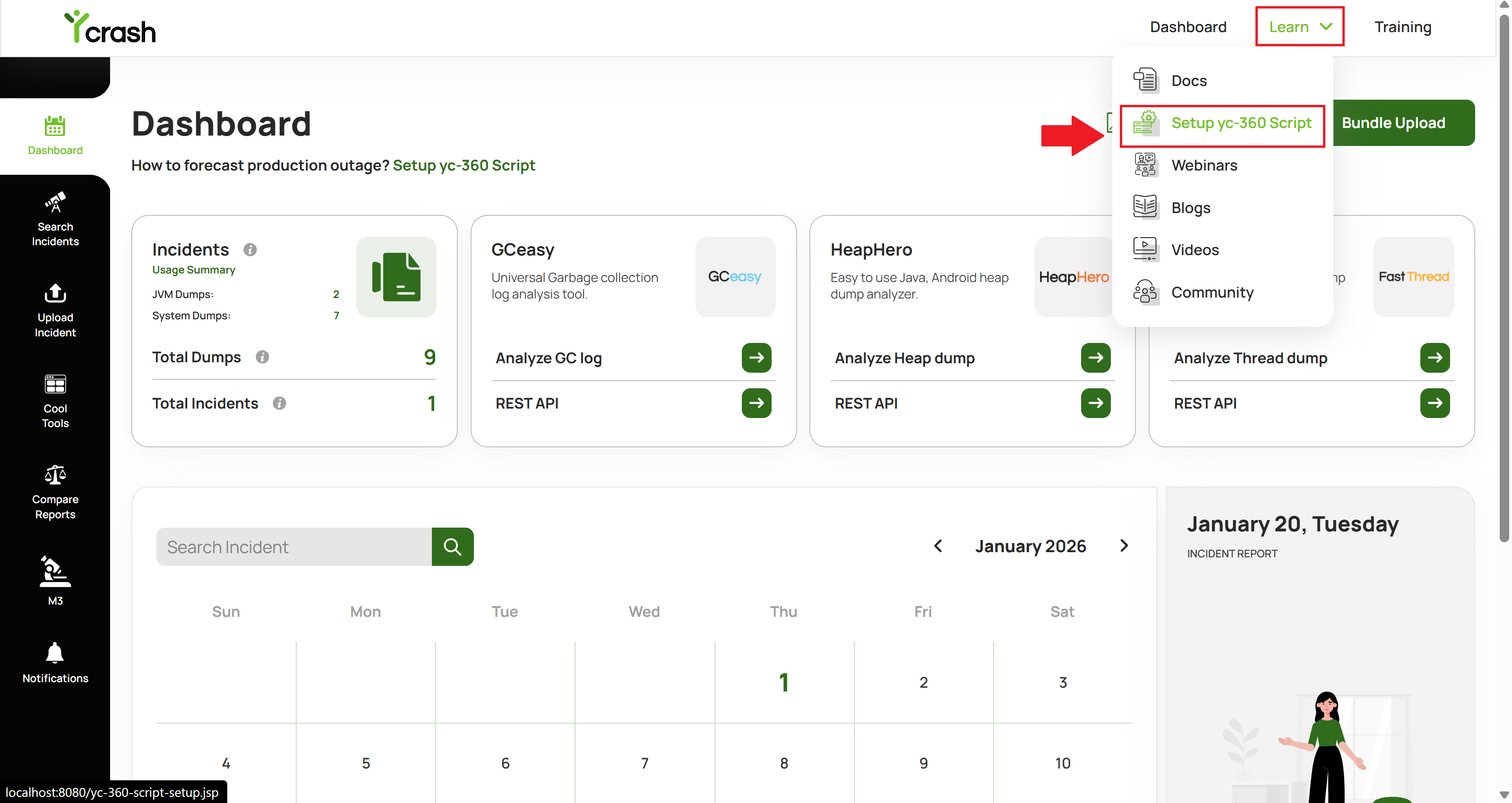
- In the header, you will find the "Learn" menu.
- Hover over the "Learn" menu. You will see a "Setup yc-360 Script" submenu. Click on it to navigate to the “yc-360 Script setup” page.
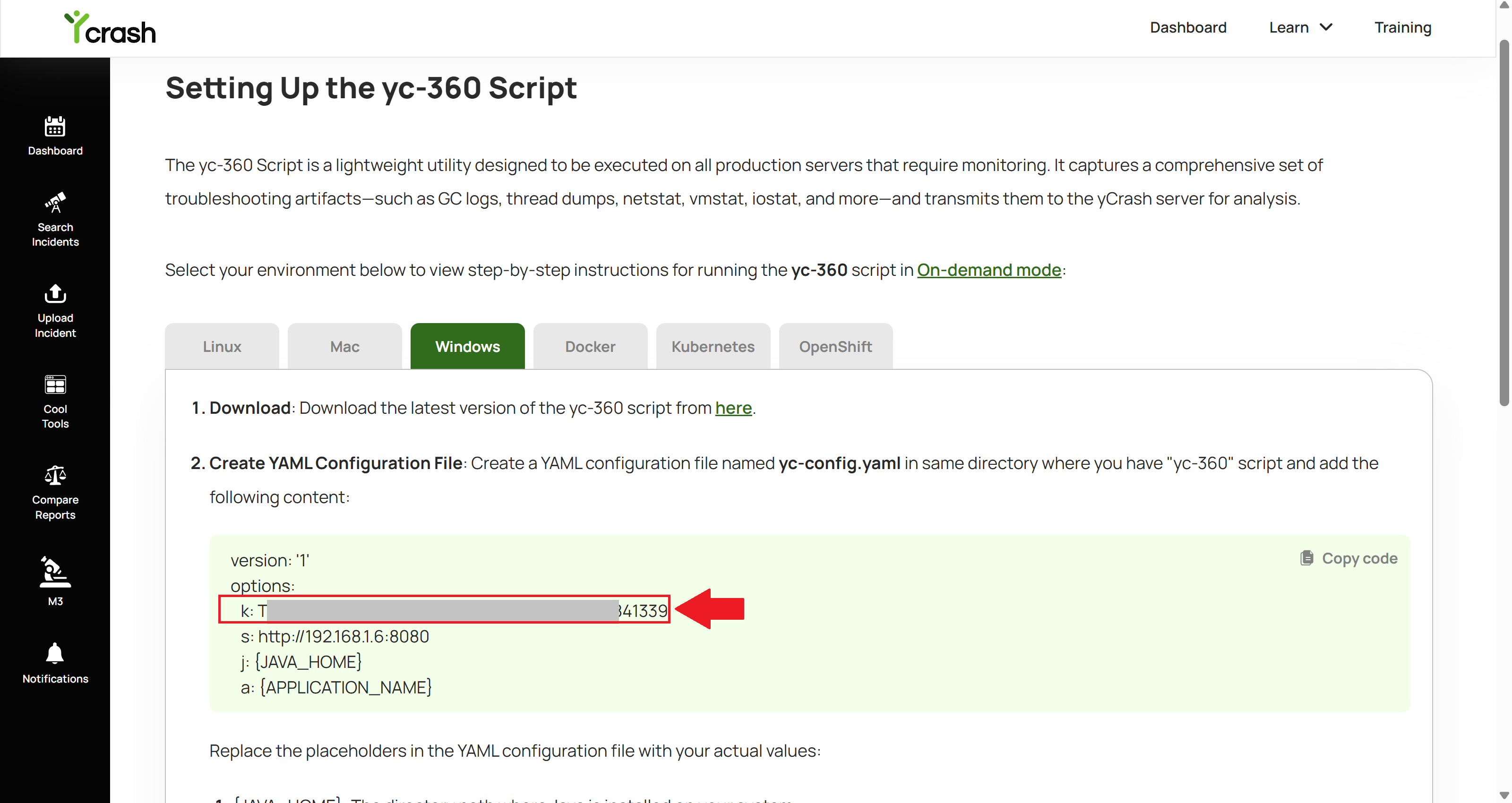
- In the instructions, you will find the "k" value — this is your API Key.
- The "s" value represents the host and port of your application.