# How to find your API endpoint in a standalone application?
# GCeasy
Sign in to your GCeasy (opens new window) account.
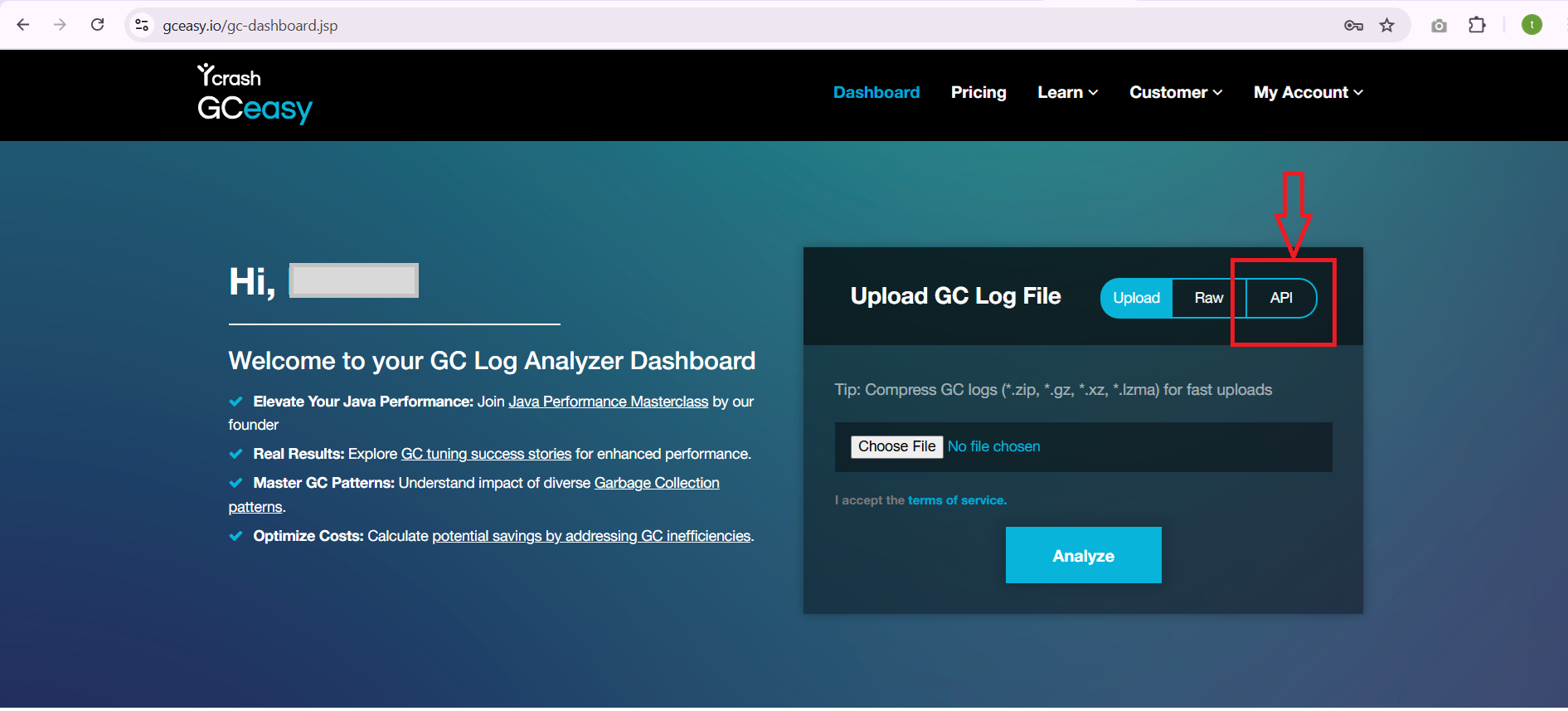
Once you sign in, it will take you to the GCeasy dashboard page. On the dashboard page, click on the "API" tab in the upload section, it will switch to "API Details" tab.
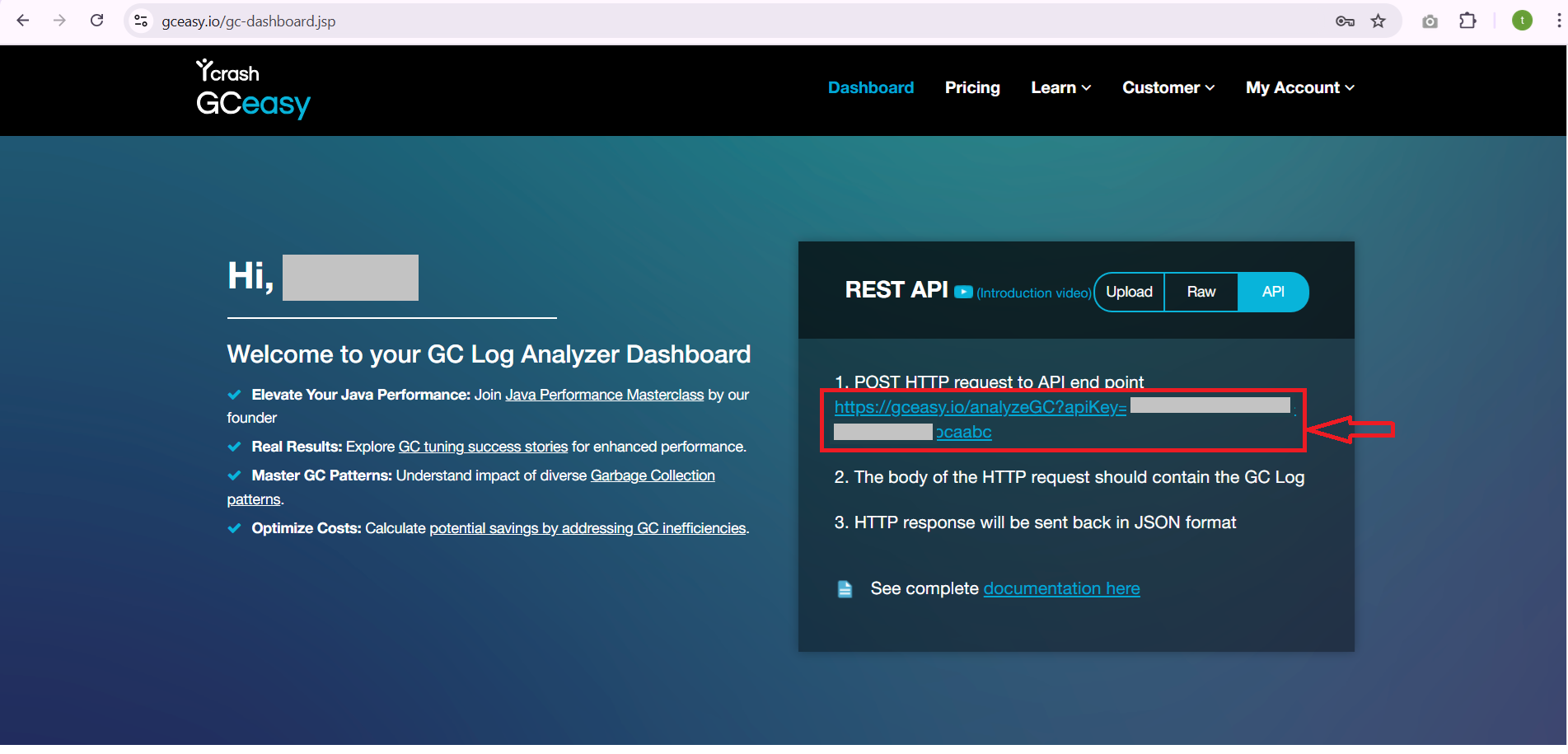
- In the API tab, you can find the API endpoint as below screenshot.
# FastThread
Sign in to your fastThread (opens new window) account.
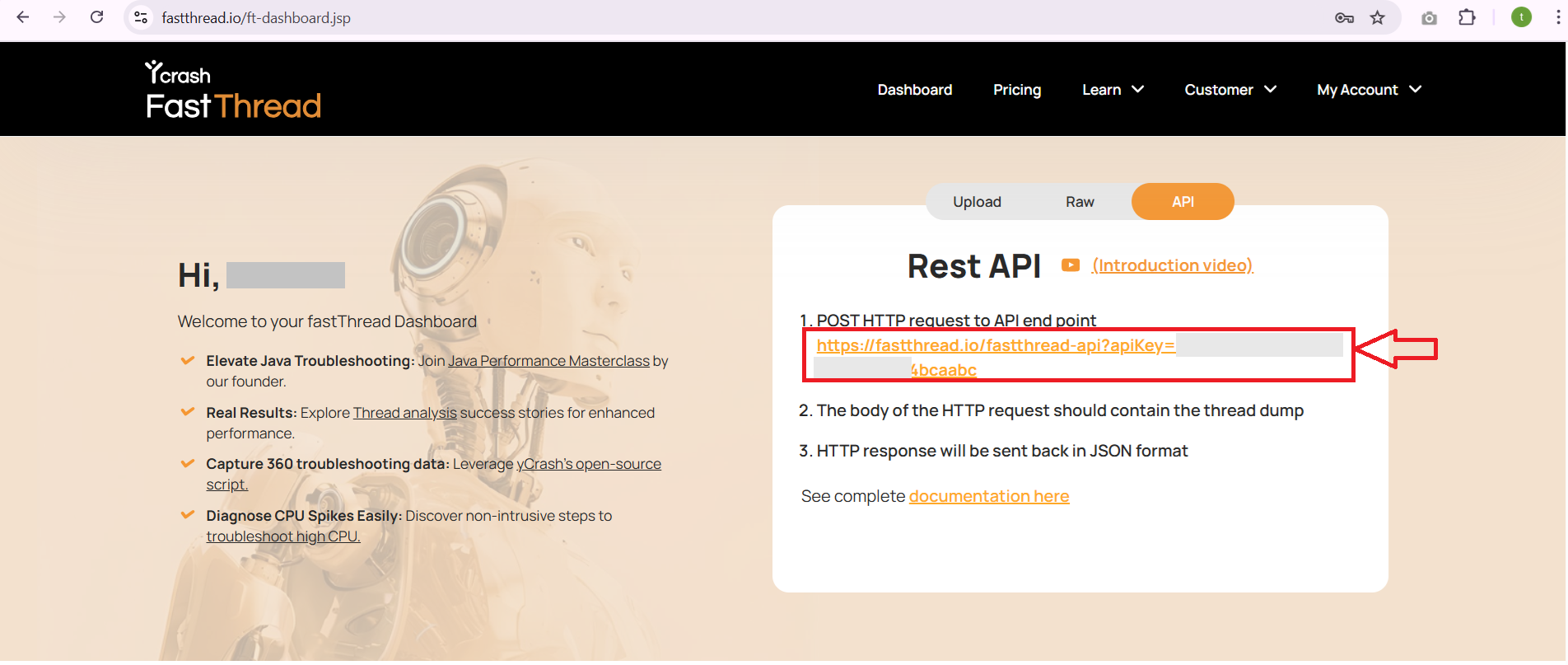
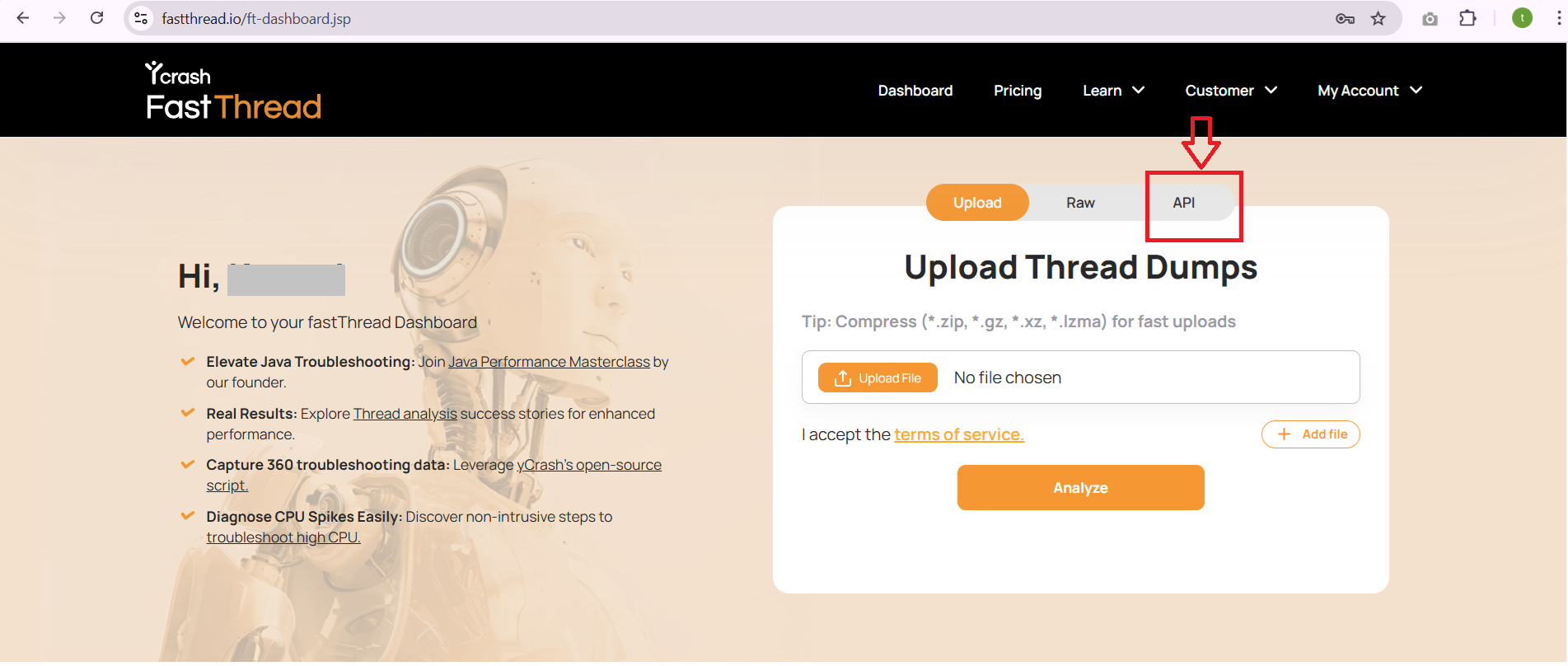
Once you sign in, it will take you to the fastThread dashboard page. On the dashboard page, click on the "API" tab in the upload section, it will switch to "API Details" tab.
- In the API tab, you can find the API endpoint as below screenshot.